
What Small Businesses Get Wrong About Digital Systems
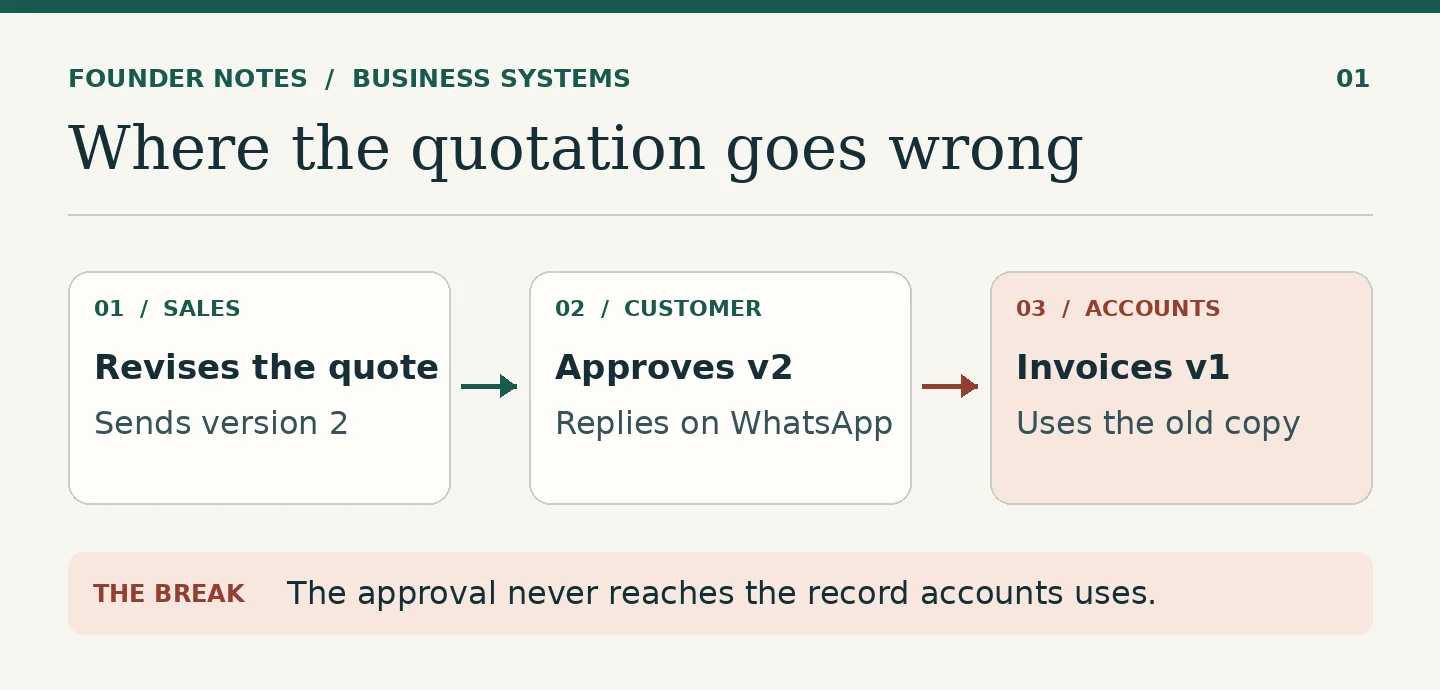
A customer asks for an updated quotation. Sales sends it. The customer approves it on WhatsApp. Accounts issues an invoice from the original quotation because that is the version accounts has.
Now the customer has to point out a mistake the business had enough information to avoid.
The business already has email, WhatsApp, accounting software and a shared drive. Nobody needs another app to send a quotation. What it needs is a way to make sure that when a quotation changes, everyone who works from it sees the same approved version.
That is where I would start a conversation about digital systems.
Buying software is easier than deciding how work should move
A business can compare five CRM products in an afternoon. It takes longer to agree on what should happen when a customer asks for a discount, who can approve it, and which version accounts should invoice.
But those decisions have to be made somewhere.
If the business does not make them before choosing software, it will make them afterwards, usually one awkward case at a time. Someone adds another field. Someone creates a spreadsheet because they cannot find what they need. A manager tells staff to copy her into every email so she can see what is happening.
Before long, the team is maintaining the new software and the old workaround.
When I look at a process, I prefer to follow one real job from beginning to end. Take the last order that gave the team trouble. Where did it begin? Who accepted it? Where was the agreed price recorded? Who knew it was ready to invoice? At which point did somebody have to ask a colleague what to do next?
The answers tell you more than a feature comparison.
Decide which record people should work from
A small business may keep a customer’s billing address in a CRM, in accounting software and on a signed quotation. That is not automatically a problem. The problem begins when the address changes and nobody knows where to update it, or which address to use next time.
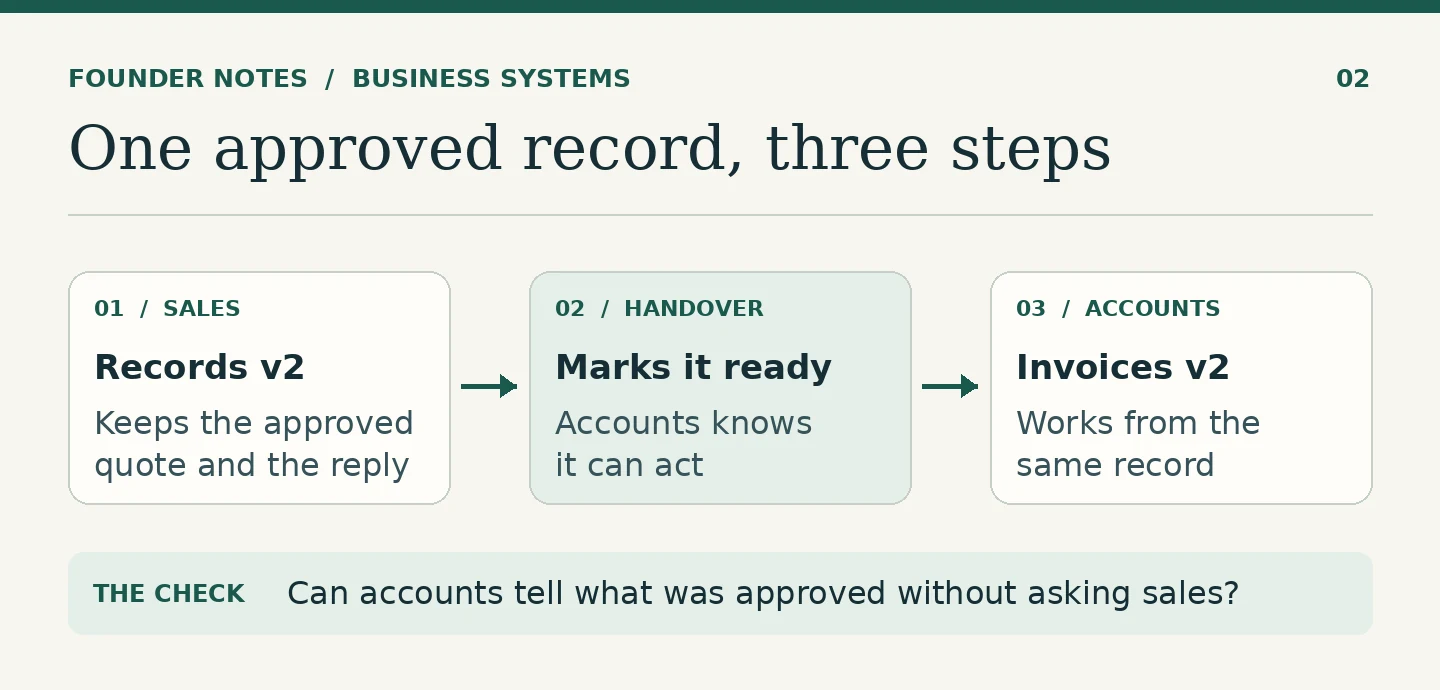
For the quotation example, the business needs a clear answer to four questions:
- Which version did the customer approve?
- Where is that approval recorded?
- Who can make a change after approval?
- What tells accounts that the quotation is ready to invoice?
You can answer those questions using modest tools. You can also fail to answer them with expensive software.
This is why better systems start with better records. Work crosses desks. The record should let the next person carry on without reconstructing the conversation.
Start with the handover that keeps going wrong
There is a temptation to digitise the whole business in one project. Sales, support, accounting, inventory and reporting all go on the list. Each department asks for its own changes. Six months later, the team is still arguing about the dashboard and accounts is still getting the wrong quotation.
I would start smaller.
Pick the handover where mistakes recur or someone has to chase for an answer. In one business that will be sales to accounts. In another it will be the move from payment confirmation to service activation. For a retailer, it might be the handover from checking a return to issuing a refund.
The test is the same. Give the next person an accurate record, a clear trigger and a defined next action. Then see whether the handover works without a manager standing in the middle of it.
Make room for the cases that need judgment
The ordinary order is easy to design around. A customer agrees to the price, an invoice goes out, and payment arrives.
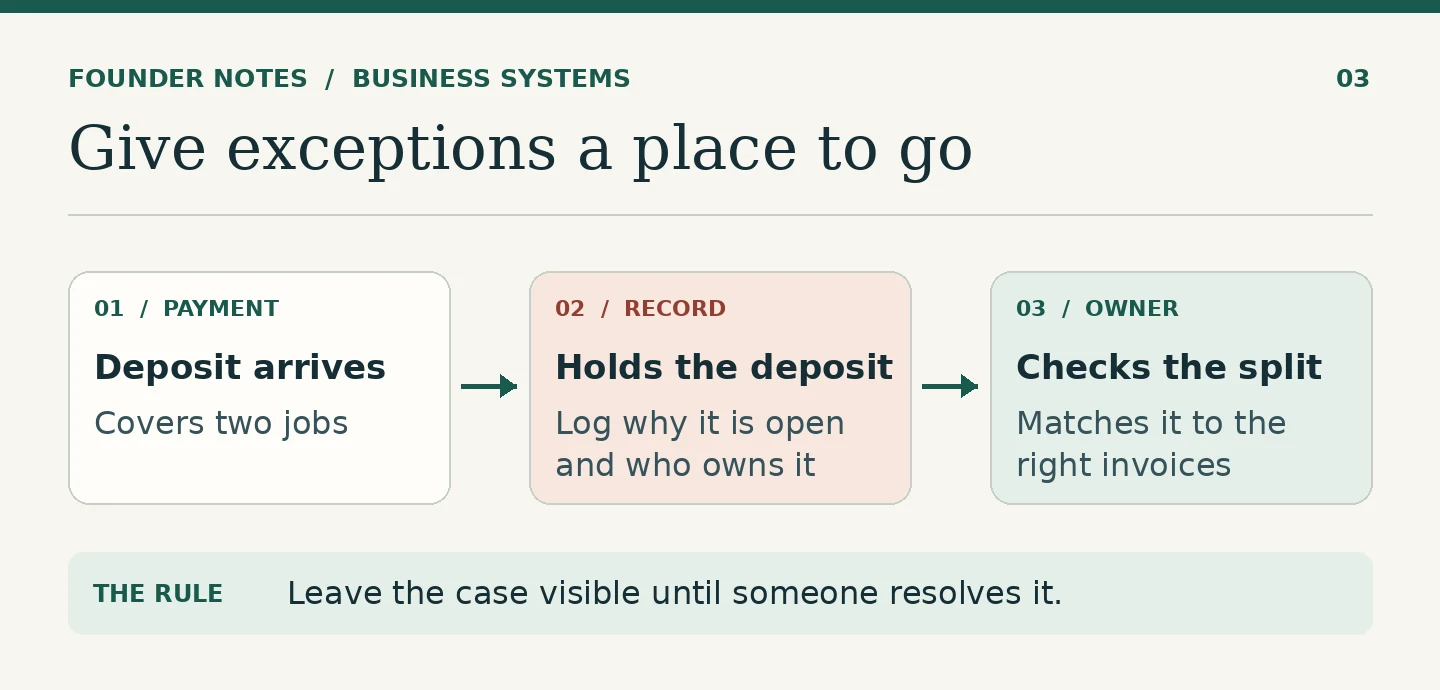
What if the customer pays a deposit against two jobs? What if they approve the scope but not the delivery date? What if work needs to begin before the finance team is available?
Those cases do not all need automation. They do need somewhere to go.
For example, accounts can hold a payment as unallocated until someone matches it to the right invoices. The record should show who is checking it and why it remains open. The alternative is a screenshot in a group and three people assuming somebody else has dealt with it.
A well-designed workflow makes the unusual cases visible. Staff can then spend their time resolving them rather than looking for them.
Measure what people no longer have to do
New software can make an office look busy. People log in, update statuses, enter notes and export reports. None of that tells you whether the business is working better.
I would look for simpler evidence:
- How often does accounts have to ask which price was approved?
- How many orders sit without an owner or a next step?
- Can someone covering for a colleague pick up a job without calling them?
- How many times does the same information get entered before the work is done?
Compare a few jobs before and after a change. If the team still has to search old messages and retype the same details, revisit the handover before adding another feature.
The hidden cost of running work through WhatsApp shows up in precisely this kind of repeated work. Keep the conversations where they are convenient. Put the decisions where the next person can use them.
A useful first step
Take one job that is waiting on somebody today. Ask the person receiving it to tell you what was agreed, what is still open and what they are expected to do. See whether they can answer from the records they already have.
If they cannot, find the first place the information failed to move. Fix that first.
You will learn quickly whether you need new software, a better record, or simply a decision about who owns the next step.
FAQ
Start with a recurring handover that causes delays, errors or repeated questions. Define what the next person needs to know, where to find it and who owns the next action.
That depends on the work it needs to coordinate. A CRM can help manage enquiries and customer follow-up. An ERP may help when sales, stock, finance and other operations need to share records. Start with the problem the team cannot solve reliably today.
Yes, for a workflow with modest volume, a clear owner and few exceptions. Reassess when people are keeping competing copies, corrections are difficult to trace, or routine handovers depend on one person’s memory.
Have a systems problem worth discussing?
If this note connects with something you are dealing with in your business, club, team, or workflow, send me a short message with context.
I’m interested in practical problems around records, communication, email, hosting, AI-assisted work, CRM planning, client follow-up, and operational systems.
Zahid’s Field Notes
Practical notes from the builder’s desk.
Occasional notes on digital systems, canine administration, business workflows, AI, email, hosting, and the small operational details that shape trust.
What I usually write about:
- How better records improve daily operations
- Why email, hosting, and infrastructure still matter
- What canine clubs can learn from business systems
- Practical AI use without losing human control
- Lessons from building and operating real systems
No fixed schedule. No recycled content. Just useful notes when there is something worth sharing.