
Why Tools Do Not Fix Broken Workflows
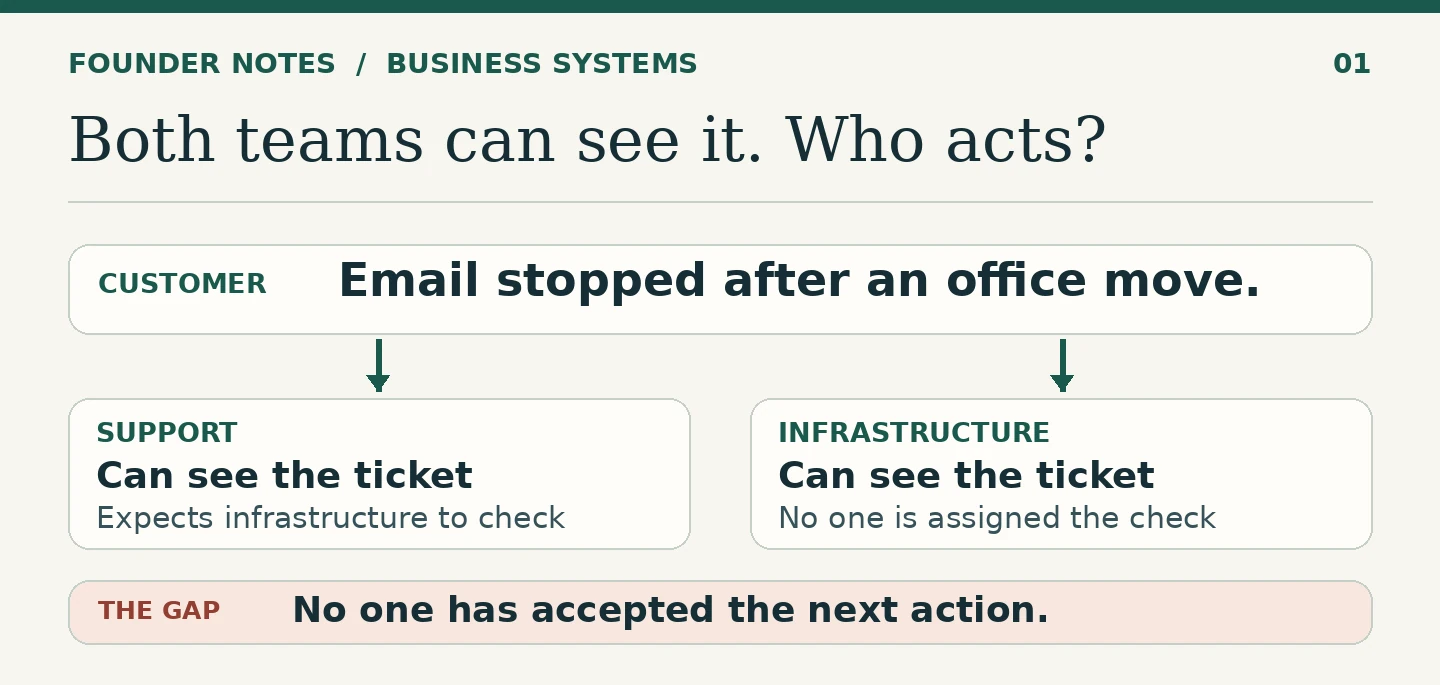
A customer says email has stopped working after an office move. A support agent receives the request and adds a note: “Needs an infrastructure check.” The infrastructure team can see the ticket. Support can see it too. By the time the customer follows up, neither team has started the check.
The software did what it was set up to do. It put the request where both teams could see it. What it did not say was who would take the next action, or how support would know that the infrastructure team had accepted the work.
A new help desk could show the same ticket on a better dashboard. Unless we change the handoff, the customer will still have to ask twice.
Follow one request from beginning to end
I would start with a recent request that went wrong. Ask the people who handled it to walk through what happened, in order. Use the ticket, messages and timestamps rather than asking how the process is supposed to work.
The first place to look is where the work stopped. Was the next step unclear? Did someone think another person had taken it? Was the team waiting for information it had never asked for? Those are three different problems, and each needs a different fix.
Also look at a case that went well. Sometimes an experienced member of staff quietly makes a phone call or checks a second inbox. If that is what kept the work moving, write it down. The process should not depend on the same person being at their desk every time.
Make five things clear
You do not need a big process diagram. For a small team, five questions are enough to start.
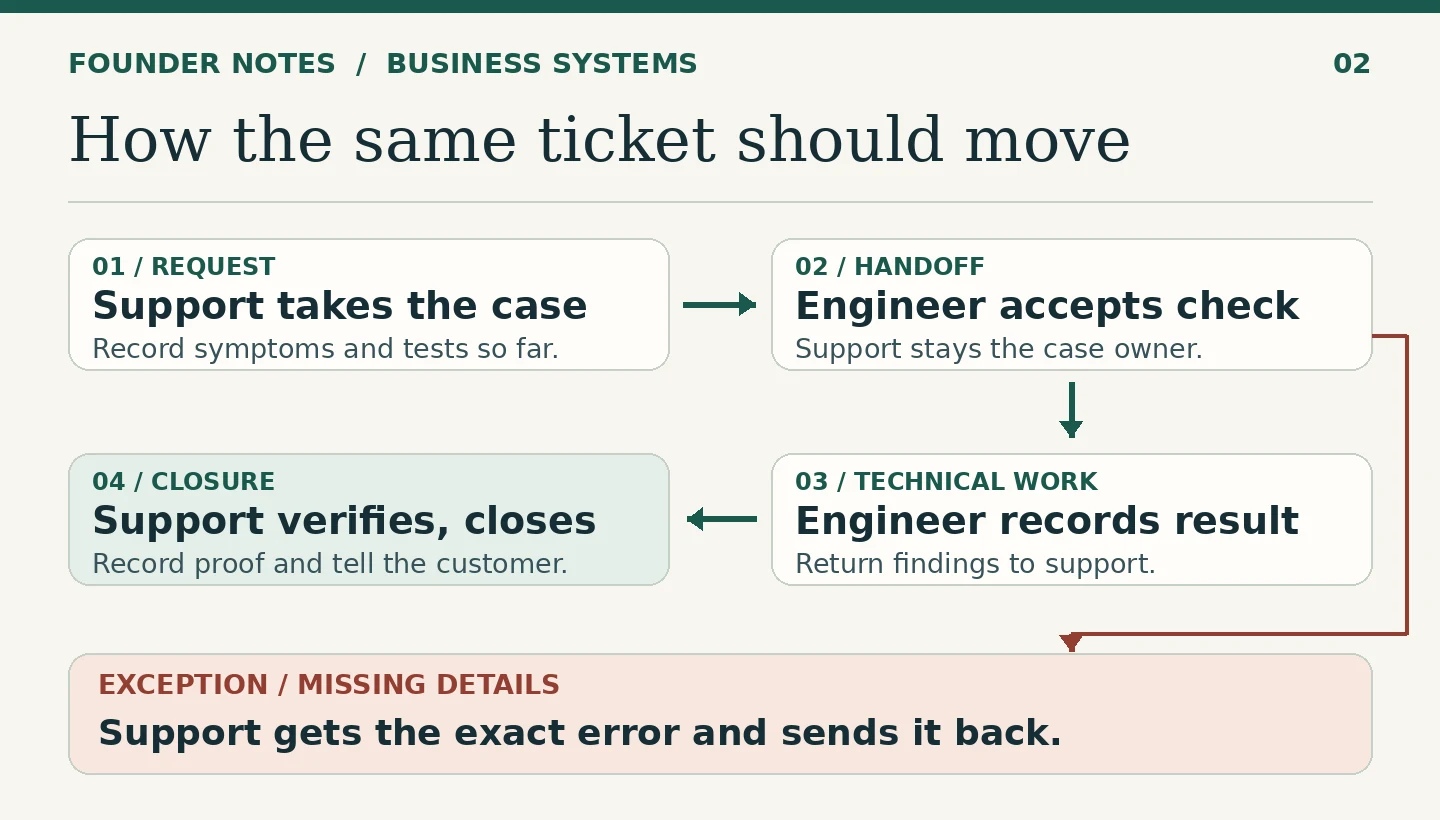
- What starts the work? A customer request creates a ticket. A forwarded message should be added to the existing ticket, not treated as a second request.
- Who owns it now? A named support agent owns the request when it comes in. A shared queue tells us where it sits; it does not tell us who will act.
- What makes the handoff complete? The infrastructure engineer accepts an assigned check with the affected mailbox, reported symptoms and what support has already tried. Before that acceptance, support still owns the customer’s case.
- What happens when something is missing? If the engineer needs the exact error message, the ticket returns to support with that request stated. Support asks the customer and keeps the ticket open as waiting for information. It goes back to the engineer when the detail arrives.
- What proves the work is finished? An engineer records the result of the check. Support verifies the outcome, records the confirmation or test result, and updates the customer before closing the ticket.
Fix the handoff before adding a notification
A notification is useful when someone knows what to do with it. If a message goes to six people and none owns the next step, sending it again after an hour usually adds noise. A better rule gives the check to one person, tells that person what to return, and tells the case owner what to do if it is not accepted.
The same problem shows up in sales, accounts and project delivery. “Sent to accounts” is often treated as a final status even though accounts still needs to check a payment. “Passed to design” can mean an approved brief is ready, or it can mean someone forwarded a chat. Those two situations should not look identical to the next person doing the work.
Keep the supporting information with the work. I have written separately about why better systems start with better records. The record gives the next person the facts; the handoff makes clear what they are expected to do with them.
Test the change in the tool you already have
Before buying anything, try the revised handoff on a few real requests. Make the owner, next action, status and closure evidence easy to find on each ticket. Include at least one case where information is missing or the next team cannot accept the work immediately. That is usually where the new rule earns its keep.
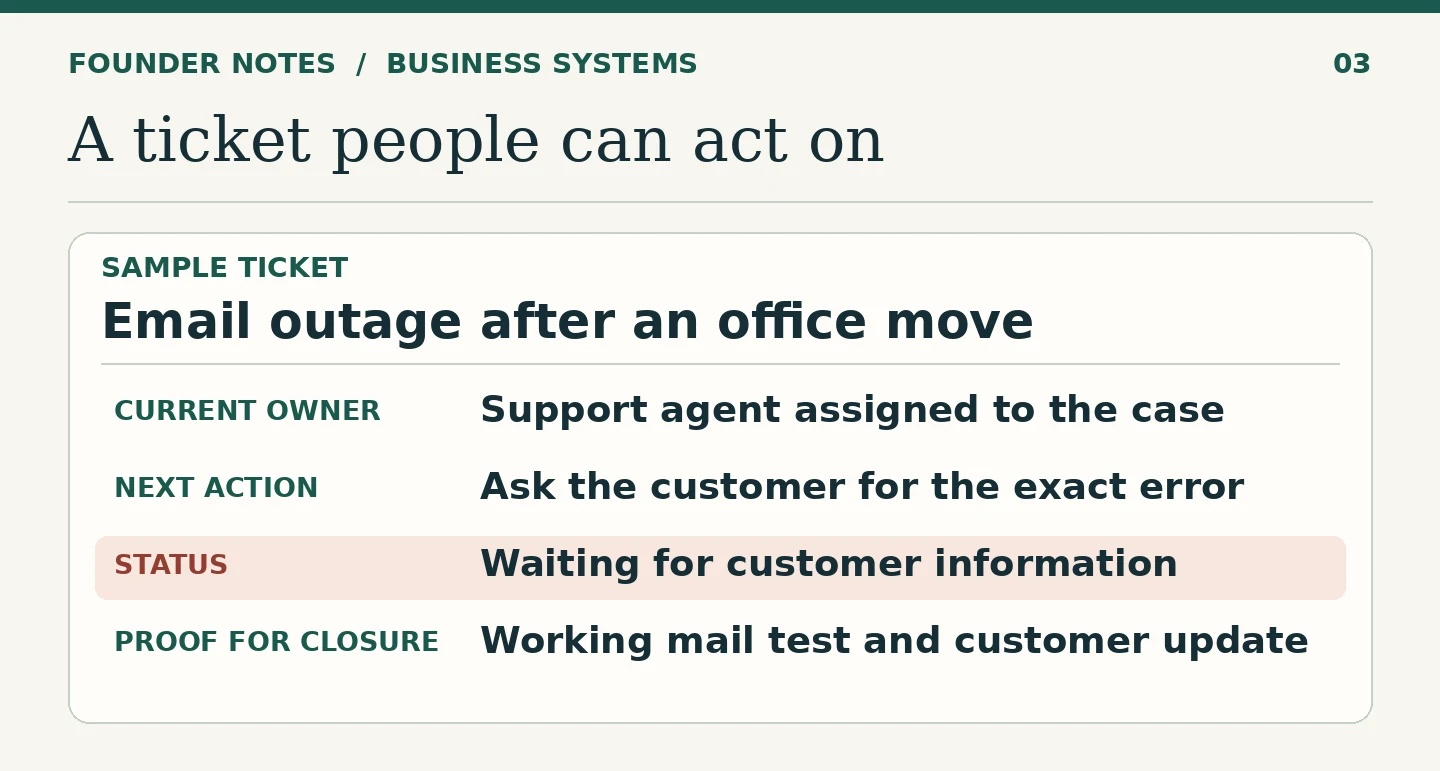
At the end, ask whether staff could see who was handling the request, why it was waiting and what justified closing it. Where the answer is still unclear, change the process and run it again.
Sometimes the test makes a good case for new software. You may need separate ownership for a customer case and a technical task, a reliable history of transfers, or a way to flag work that nobody has accepted. By then you can ask a vendor to demonstrate the actual handoff, including what happens when it fails. That is a more useful demonstration than a tour of the dashboard.
Fix the point where work stops
Take one recurring problem and follow the work until it stops. Name who owns the next action, decide what the receiving person needs, and agree what counts as finished. When those rules work in practice, software can make them easier to follow. If you cannot explain the handoff without the software, putting it on a new screen is unlikely to make it clearer.
FAQ
Ask two people to explain a recent case and point to who owned the next action. If they give different answers, clarify the workflow first. If people agree on the rule but the tool cannot support it reliably, you have a stronger reason to replace or reconfigure the tool.
Start with the trigger, named owner, handoff rule, exception path and evidence of completion. Try those rules on real cases before making a list of software requirements.
Test it manually first, including an exception. Then automate a repeated step when you can define what starts it, what it should produce, and who handles the case if it cannot finish.
Have a systems problem worth discussing?
If this note connects with something you are dealing with in your business, club, team, or workflow, send me a short message with context.
I’m interested in practical problems around records, communication, email, hosting, AI-assisted work, CRM planning, client follow-up, and operational systems.
Zahid’s Field Notes
Practical notes from the builder’s desk.
Occasional notes on digital systems, canine administration, business workflows, AI, email, hosting, and the small operational details that shape trust.
What I usually write about:
- How better records improve daily operations
- Why email, hosting, and infrastructure still matter
- What canine clubs can learn from business systems
- Practical AI use without losing human control
- Lessons from building and operating real systems
No fixed schedule. No recycled content. Just useful notes when there is something worth sharing.