
Why Your Business Email Setup Says More Than You Think
A customer receives an invoice that looks right except for the purchase order number. They hit Reply to ask for a correction. The message goes to an address used only for sending notifications. Two days later they forward the invoice to the salesperson, who starts looking for someone in accounts.
The customer does not know which system sent the invoice or how your team divides the work. They only know that your company asked them to pay and made it hard to ask a question.
That is what I would look at first when reviewing a business email setup. Start with what the recipient sees and follow the reply until someone can act on it.
Make the sender easy to recognise
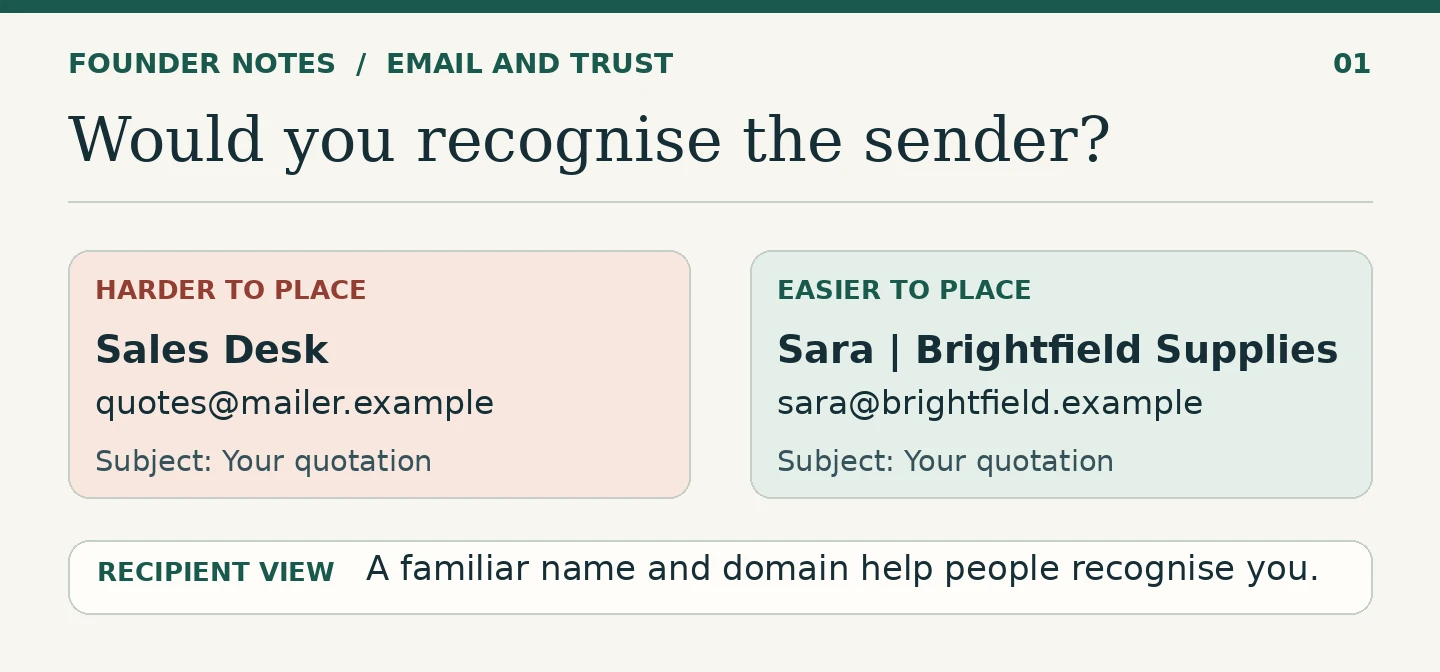
A business domain gives the customer a stable address to look for. If they know you as Brightfield Supplies and visit you at brightfield.example, a quotation from “Sara | Brightfield Supplies” at sara@brightfield.example is easier to place than one from “Sales Desk” at an unfamiliar address. The business and addresses here are illustrative.
Match the display name to the message. Sara can send a quotation in her own name because she owns the conversation. An invoice notice can say “Brightfield Supplies Billing” because it represents a team and a specific task. Both identify the company; only one needs to name a person in the sender field.
A familiar name and domain help with recognition. They are not proof that a message is genuine. Email authentication is a separate part of the setup; I have written about why SPF, DKIM, and DMARC matter to businesses. Here the question is what the customer can understand and do from the message in front of them.
Decide where a reply should go
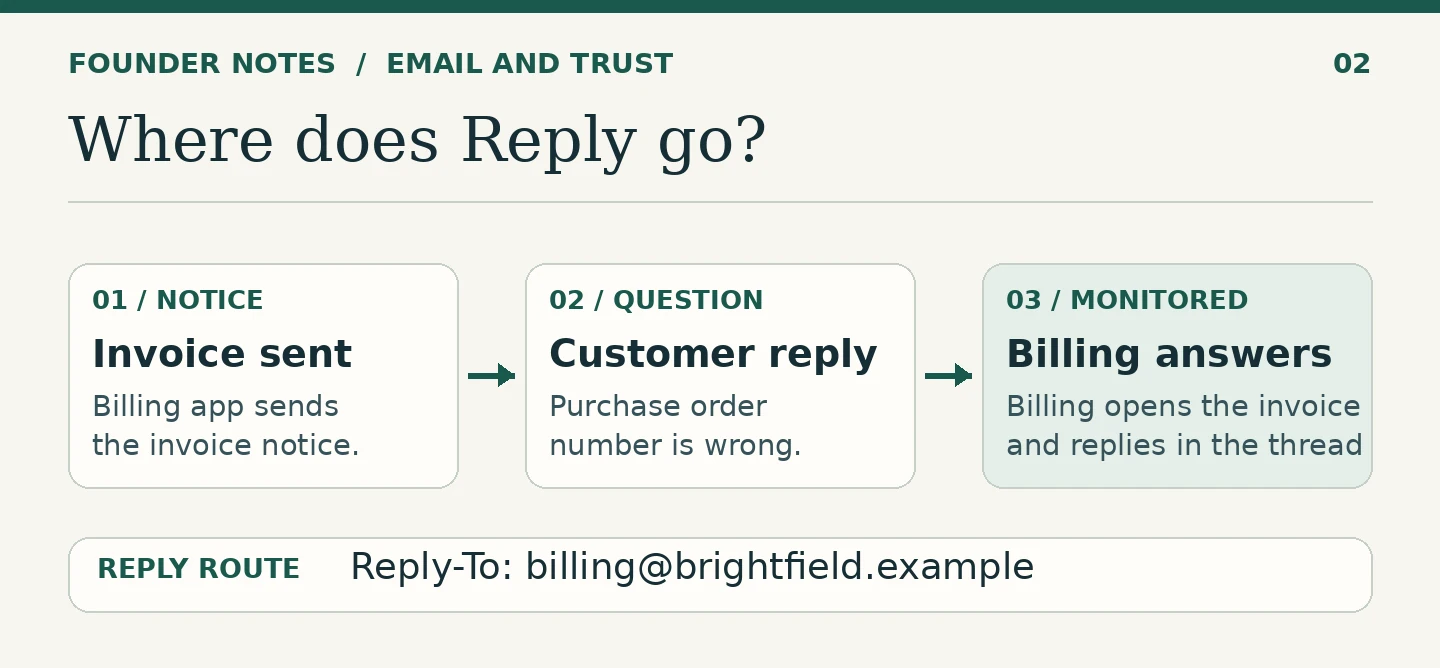
An application can send an invoice and still let the billing team handle questions. The address the customer sees in From and the destination their email client offers when they hit Reply can differ. A correctly configured Reply-To field can direct the answer to a monitored team inbox. Test the actual message rather than assuming the application is using the address shown in its settings.
For the invoice with the wrong purchase order number, the customer should be able to reply with the invoice reference already in the subject. Someone in billing can find the record, confirm the correction and reply in the thread. The customer does not have to guess which address to start with.
Some alerts are intentionally one-way. If replies are not monitored, say so plainly and name the correct contact route in the message. A notice that invites questions should not give the customer a dead end when they ask one.
Give the inbox an owner and a backup
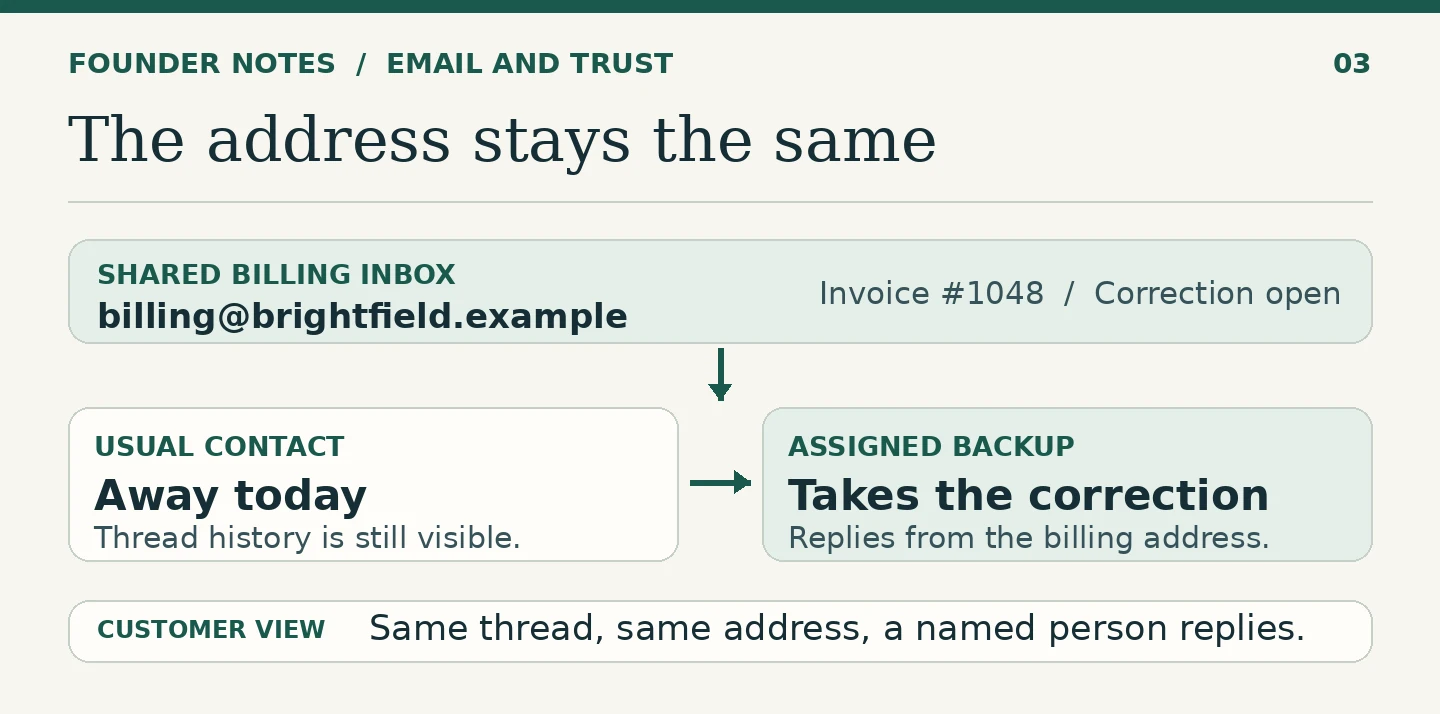
A familiar address is only useful if someone checks it. Sara can own the quotation, but if she is away on the day it expires, the customer still needs a way to reach the business. That could be a monitored sales inbox copied on active quotations or a shared workflow that gives another authorised colleague the history. The arrangement only works if the colleague knows they are covering it.
For billing, a shared inbox can give authorised staff access through their own accounts. Decide who checks it that day, who is available as backup, and how staff mark a question as taken. If people can read incoming messages but cannot find what a colleague sent back, they may answer twice or ask the customer to repeat information. Check that replies remain visible to the team that needs them.
A role address can help the customer find the right team. A named signature on the reply tells them who actually handled the question. The two work well together.
Test the setup from outside the business
Send a test quotation, invoice notice and support reply to an outside mailbox you control. Look at them first on a phone. Can you recognise the company without opening the message? Does the subject tell you what it concerns? Then hit Reply and see where each answer arrives.
Run the test once more with the usual contact unavailable. Ask the backup to find the previous reply, identify what is still open and respond with the right business address. Note where they need to ask a colleague for help. That is the part of the setup to fix.
I would keep a short list of the addresses customers see, what each one sends, where replies land and who covers it. Check that list when you replace an invoicing application, change an address or move someone to another role. Those are easy moments for a working route to go missing.
Follow the reply
A customer should recognise who wrote to them, know how to answer and receive a useful reply even when their usual contact is away. Run the reply test before you spend time on a new template. You may find the improvement the customer notices most is giving their question a clear route back to you.
FAQ
It gives the recipient a consistent identity to recognise and compare with the business they know. It is not proof by itself. Keep authentication in place and give customers a known contact route for sensitive changes.
Not necessarily. A clear billing team name works well for an automated notice. If customers may have questions, make Reply reach the monitored billing inbox or clearly show the contact route.
Only if another person is assigned to check it, can see the relevant history and has permission to reply from the right address. Test the handover with the usual contact unavailable.
Have a systems problem worth discussing?
If this note connects with something you are dealing with in your business, club, team, or workflow, send me a short message with context.
I’m interested in practical problems around records, communication, email, hosting, AI-assisted work, CRM planning, client follow-up, and operational systems.
Zahid’s Field Notes
Practical notes from the builder’s desk.
Occasional notes on digital systems, canine administration, business workflows, AI, email, hosting, and the small operational details that shape trust.
What I usually write about:
- How better records improve daily operations
- Why email, hosting, and infrastructure still matter
- What canine clubs can learn from business systems
- Practical AI use without losing human control
- Lessons from building and operating real systems
No fixed schedule. No recycled content. Just useful notes when there is something worth sharing.