
The Difference Between a Task List and a Real Operating System
At the end of the day, someone ticks off “Book the courier collection.” The booking went through, the labels were printed, and the parcels were put by the door.
The next morning, a customer asks for a tracking number. Their order was on hold for an incomplete address. The customer sent the missing details after the labels were printed, but nobody can tell from the order record whether the parcel was re-labelled, handed to the courier or left on the shelf.
The courier booking was done. The order still needed attention.
That is the difference between a task list and a business operating system. The list helps people plan the work. The operating system lets the next person see where each order stands and act without reconstructing the day from messages.
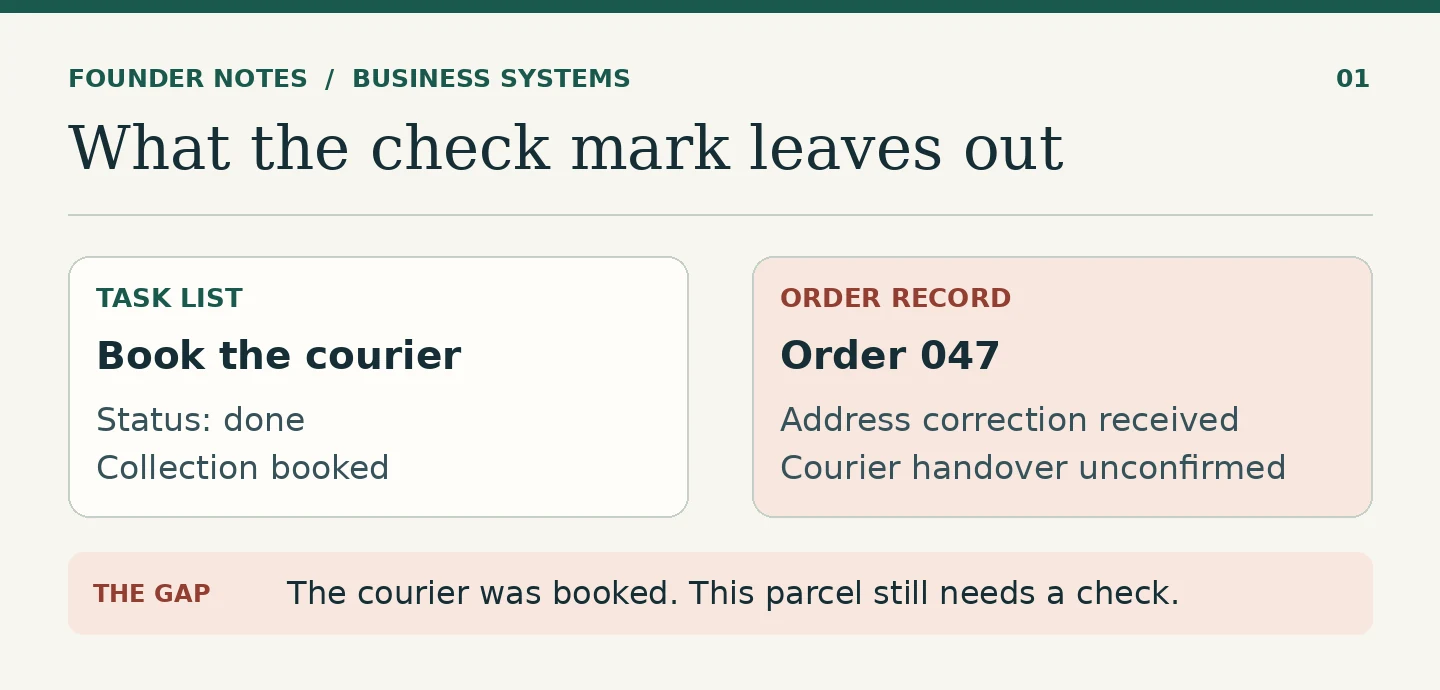
A task and a record answer different questions
“Print today’s shipping labels” is a task. A customer’s order record answers a different question: what has actually happened to this parcel? It should show the delivery address the team used, whether anything is holding the parcel back and whether the courier has received it.
That distinction matters because one task can cover fifty individual orders. The packing team can finish printing the labels for the day without being able to print the label for one particular order. Marking the batch task complete is useful. Leaving the individual order on hold is equally useful.
Keep both. The task list tells people what they planned to do. The record helps the next person do the work without starting the investigation again.
Make “ready” and “shipped” mean something
Suppose a parcel is packed. Should it show as ready for dispatch if the address is still being corrected? What if a label has been printed but is sitting next to the parcel rather than attached to it?
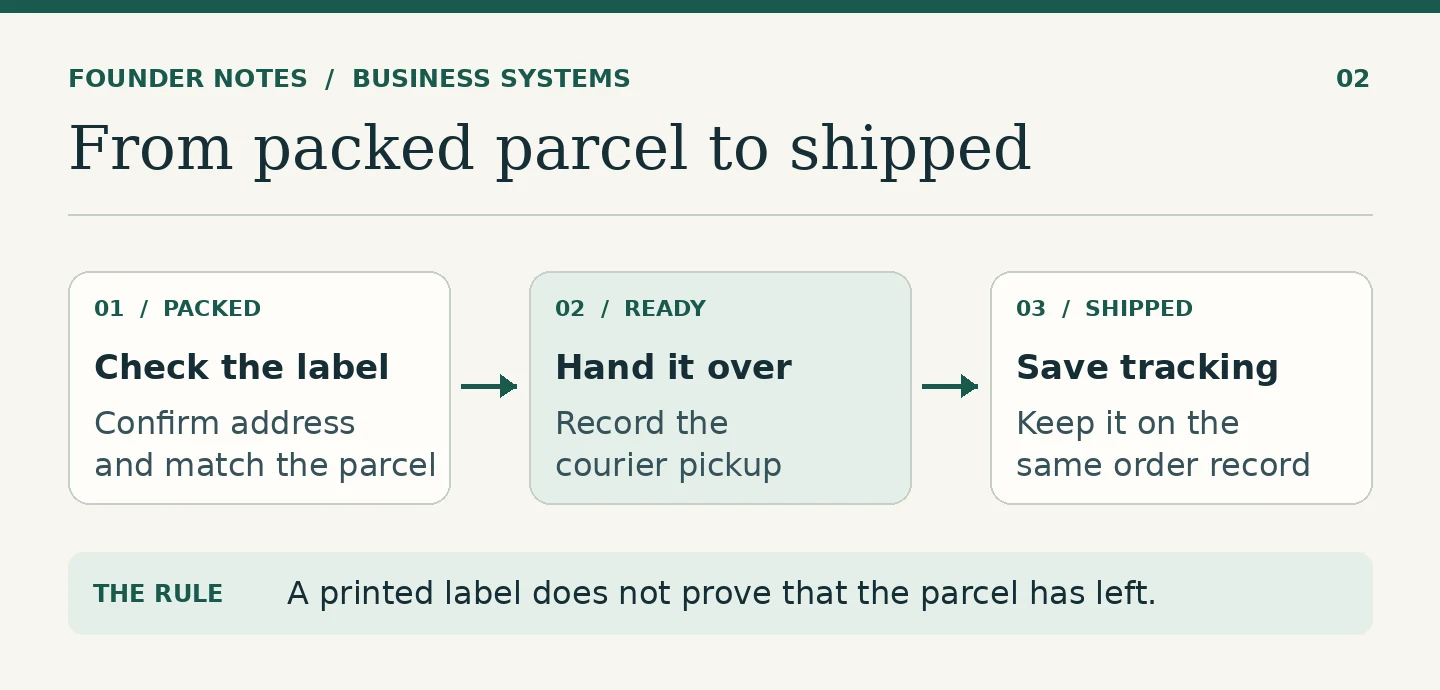
A status is only useful when people agree what must be true before they use it. For a small fulfilment team, “Ready for dispatch” might mean the order is packed, the address is confirmed and the label matches the parcel. “Shipped” might mean the team has a pickup scan or another confirmed record of the handover. The tracking number belongs on that same order.
This also helps customer service. If a customer asks where a parcel is, a printed shipping label on its own does not answer the question. A recorded handover and tracking number give the team something it can use.
Give held orders a place to go
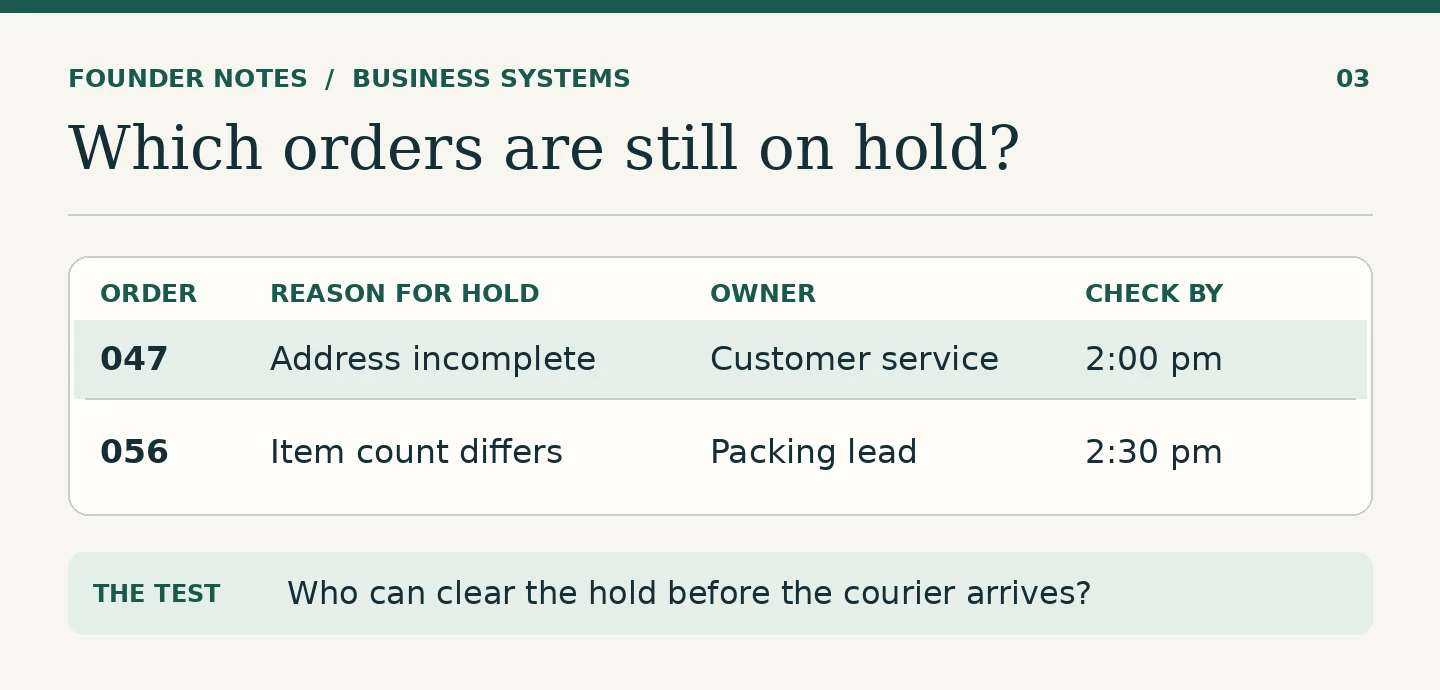
A hold is useful only if somebody can see it and knows who should clear it. Make a short view of orders on hold, with a reason, an owner and a time to check back. “Waiting for the customer” is a reason. It is not a name or a next step.
For the address case, the order record might say: “Delivery address incomplete; customer service to check for a reply before the next collection.” The packing team can leave the parcel where it is. Customer service knows when to look again. If the customer replies, the person clearing the hold can record the corrected address and flag the order for a new label.
Check this list before the courier cutoff. The useful question is, “Which orders can we still get out today, and what has to happen first?” A general progress update from each person will rarely answer it as well as the open order records.
Design it so someone can cover for you
Imagine the person who normally handles dispatch is away. Ask the colleague covering the shift to pick one order and answer four questions:
- Is it ready to go, or is something still holding it?
- If it is on hold, who should act and by when?
- If it has left, where is the proof of handover and the tracking number?
- If an address changes now, where should the correction be recorded?
Watch where they have to stop and ask someone. A status might be missing. The rules for clearing a hold might live in one person’s head. Or the pickup record might exist but be impossible to match to an order.
This is why fixing a handover first is often more useful than redesigning the whole operation. Pick the point where the substitute gets stuck and make the missing information available there.
Start with the tools you have
For a team with modest order volume, its existing order system or a shared table may already have enough room for an order reference, a status, a hold reason, an owner and tracking. Keep the daily reminders where they are. Agree which system holds the order record so people do not have to compare two versions of the same information.
Try it for a week. At the end, look at the orders that missed collection or generated a customer enquiry. Could the next person tell what happened from the record? Did they know what to do next?
Fix what they still had to chase. That will tell you more about what your system needs than a longer list of tasks.
FAQ
It is the combination of records, roles and routines that lets people run recurring work. It tells the team where to see the current position, who owns the next step and how a decision is recorded.
It can support one if the team uses it to keep reliable records, define what each status means and give open cases an owner. A board that shows only task names and due dates serves a narrower purpose.
Choose a recurring job that is hard to cover when the usual person is away. Agree on one shared record, the conditions for handing the work over and the evidence that it is complete.
Have a systems problem worth discussing?
If this note connects with something you are dealing with in your business, club, team, or workflow, send me a short message with context.
I’m interested in practical problems around records, communication, email, hosting, AI-assisted work, CRM planning, client follow-up, and operational systems.
Zahid’s Field Notes
Practical notes from the builder’s desk.
Occasional notes on digital systems, canine administration, business workflows, AI, email, hosting, and the small operational details that shape trust.
What I usually write about:
- How better records improve daily operations
- Why email, hosting, and infrastructure still matter
- What canine clubs can learn from business systems
- Practical AI use without losing human control
- Lessons from building and operating real systems
No fixed schedule. No recycled content. Just useful notes when there is something worth sharing.