
Why Small Teams Need Better Documentation Before More Automation
A small retailer wants its inventory software to draft a purchase order whenever stock drops below a set quantity. The threshold is already in the system. It looks like a straightforward job.
Then a fast-selling item drops to three units. A delivery is due tomorrow, but the supplier has confirmed only part of the order. There are also two damaged units still showing as available. One employee would wait for the delivery. Another would call the supplier. A third would order a full case to be safe.
Set up the automation before the team agrees what to do and the software will follow whichever rule someone happens to enter. A threshold alone would trigger a new order without knowing what is already on the way.
I would document the work first. The person setting up the automation needs the same explanation a colleague would need to place a sensible order.
Write down what people actually check
Start with a real replenishment decision. Sit with the person who made it and ask them to show you the stock count, the open purchase orders and any messages from the supplier. Find out where they relied on a second source because the first one did not tell the whole story.
In this example, the stock count shows what the business has on hand. The open purchase order shows what was requested. The supplier’s confirmation tells the buyer what is actually expected and when. When those records disagree, the buyer needs to check before ordering again.
“Reorder low-stock items” is a fine instruction if the same person has done the job for years and knows which numbers to trust. It leaves a new colleague, or the software, to make decisions the business has never written down.
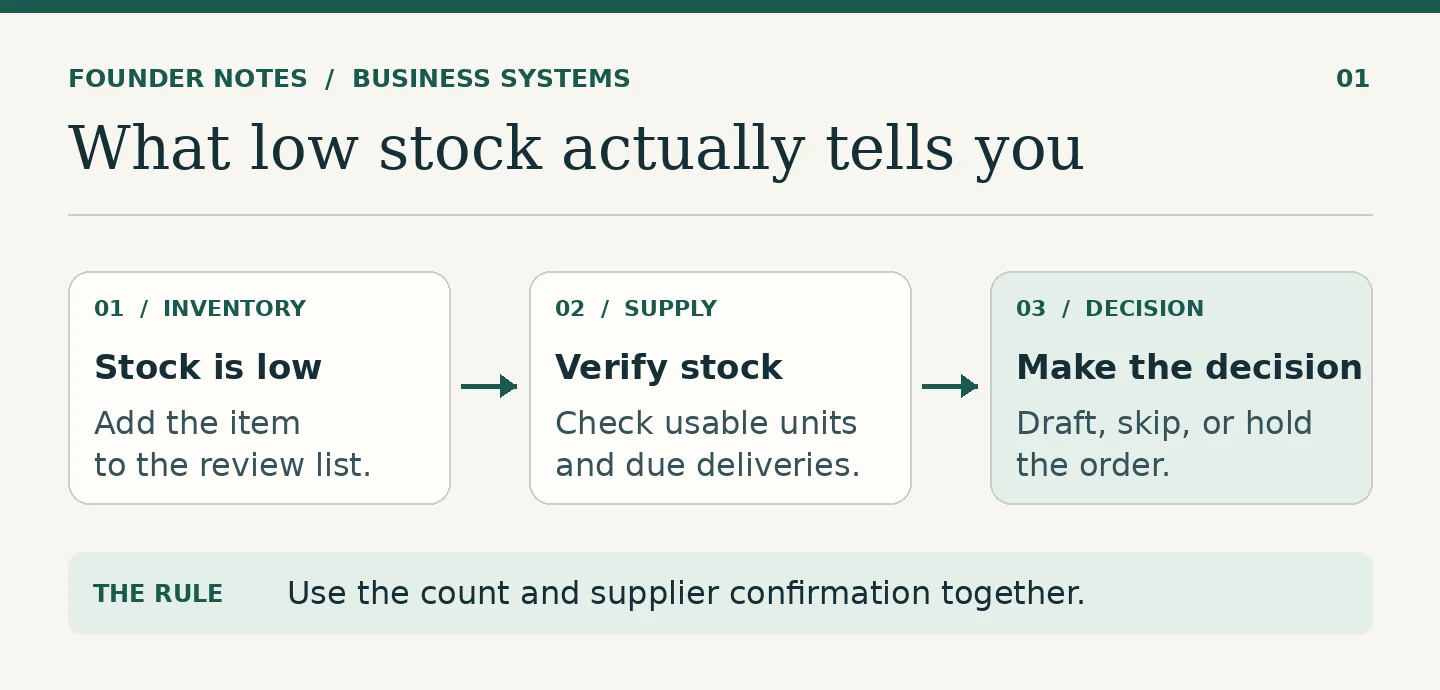
A one-page note is enough to start
Give the document the name staff use for the job, such as “Weekly stock replenishment.” Then write down what somebody else would need to run it:
- When to start. Say which items to check, when to check them, and which stock level puts an item on the list.
- Which records to use. Link to the inventory count, open orders and supplier confirmations. Say where reserved or damaged units are recorded.
- When to draft an order. Explain how to account for usable stock and confirmed deliveries that will arrive in time. Write down where to check the supplier’s pack size before choosing a quantity.
- When to wait. Hold cases where the count is stale or a delivery is unconfirmed. Give the buyer a place to record what they need to check and when.
- What to record. Save the proposed quantity and its basis, or the reason no order was drafted.
Put that note near the inventory work, not in a folder only its author knows. Give it an owner and a last-updated date. If the supplier changes its minimum order or delivery terms, the owner should check both the instructions and any rule that uses them.
Hand it to someone who did not write it
Take three recent items and ask a colleague to work through them from the note. Use sample records or a copy of the inventory data so the trial cannot send an order. Ask them to write down the action and which record supports it.
Try an item with low usable stock and nothing on the way, one with a confirmed delivery that covers the shortfall, and one where the open order and the supplier’s message disagree. If two colleagues reach different conclusions using the same information, find the missing instruction before trying to automate it.
This is also how you surface the rules people follow by instinct. If the inventory count was not updated after the last delivery, for example, say who will check the shelf and what happens to the replenishment list until then. Otherwise one employee may trust the system while another starts counting.
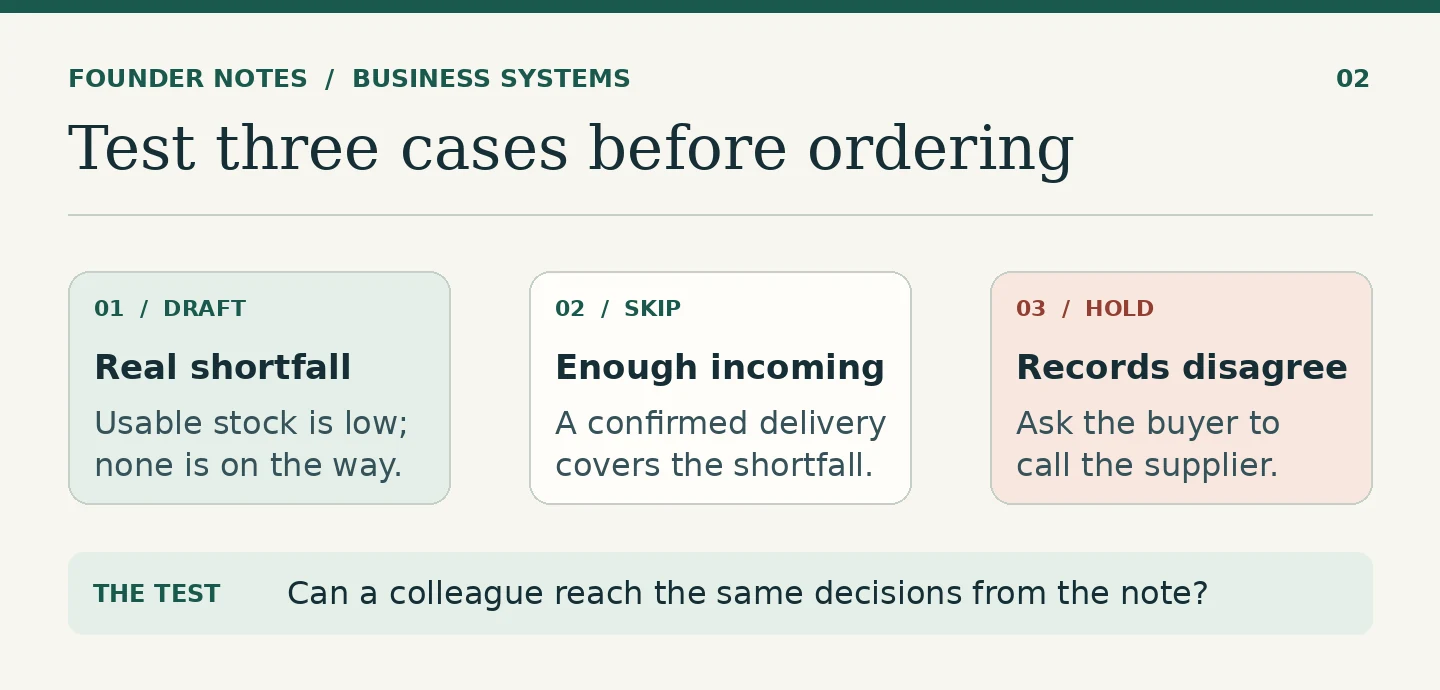
Automate the part that now has a clear answer
Start with a review list. Show the buyer the items that need attention, the stock figures used and any proposed order quantity. Keep held items visible with their reason. A blank line on a reorder report should not be the only sign that an item needs a phone call.
Compare that review list with what the buyer would have done. If the same error keeps showing up, fix the records, instructions or calculation. Once the straightforward cases match, let the software draft purchase orders for those cases and have the buyer check them before they go out.
Give the workflow a stop rule, too. If the inventory feed fails or stops updating, do not treat the last count as current. Pause draft creation until someone has checked the feed or verified the count. One afternoon spent defining that condition can spare the team a morning of checking orders it never intended to make.
The same principle applies to other work. Better records make work easier to hand over. The procedure tells the next person how to use those records when the answer is less obvious.
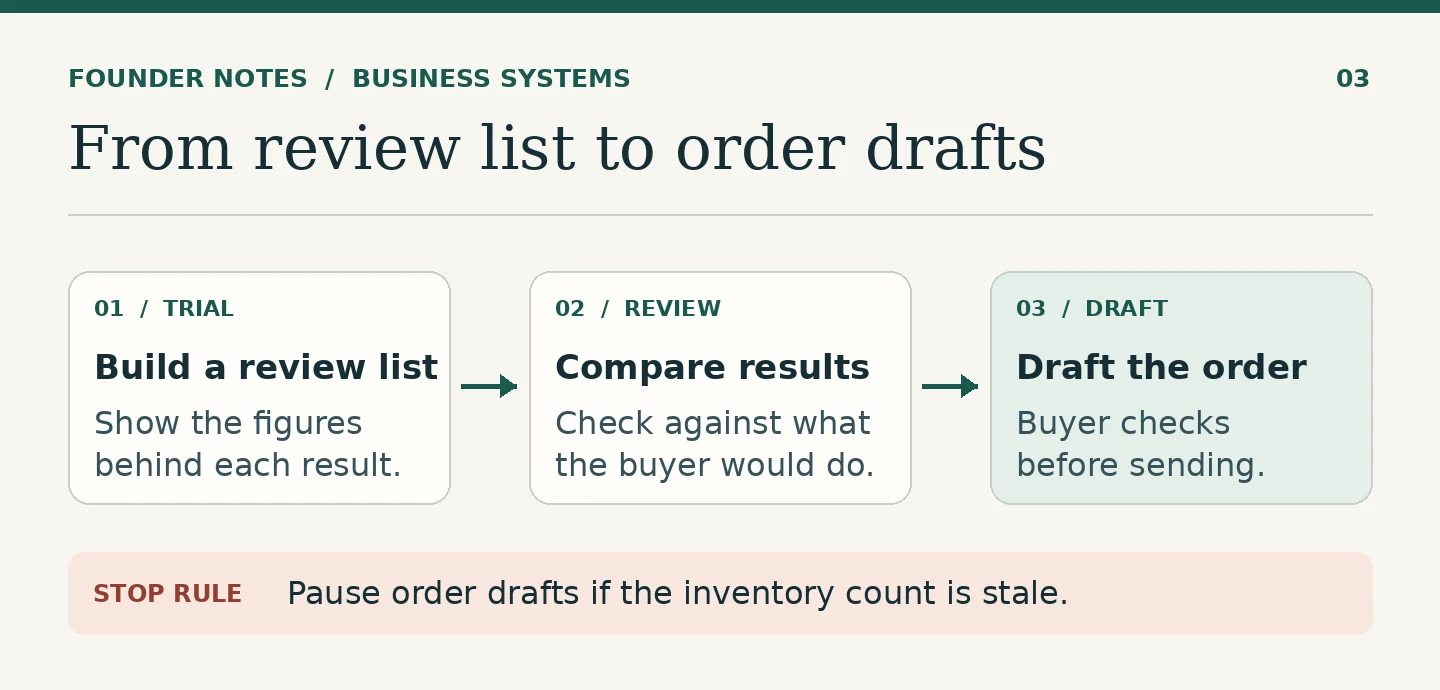
Start with the job someone else needs to cover
Pick a recurring job that would run badly if its usual owner were away next week. Write down the records, the everyday decision and the exception that causes the most uncertainty. Then give the instructions to someone who has never run the job.
The handover is the test. If it works, you are in a better position to decide which step to automate.
FAQ
Start with one page that says when work starts, which records to trust, what to do in the ordinary case, who handles exceptions and where to record decisions. Add detail when a test case shows that someone needs it.
Keep judgement calls and cases with missing information with a person. In a stock workflow, software can suggest quantities from approved rules, while a buyer checks unconfirmed deliveries or unusual orders.
Name an owner, keep the note where the work happens and update it when a rule, record or recurring exception changes. Check any connected automation before using the new procedure.
Have a systems problem worth discussing?
If this note connects with something you are dealing with in your business, club, team, or workflow, send me a short message with context.
I’m interested in practical problems around records, communication, email, hosting, AI-assisted work, CRM planning, client follow-up, and operational systems.
Zahid’s Field Notes
Practical notes from the builder’s desk.
Occasional notes on digital systems, canine administration, business workflows, AI, email, hosting, and the small operational details that shape trust.
What I usually write about:
- How better records improve daily operations
- Why email, hosting, and infrastructure still matter
- What canine clubs can learn from business systems
- Practical AI use without losing human control
- Lessons from building and operating real systems
No fixed schedule. No recycled content. Just useful notes when there is something worth sharing.