
Why AI Workflows Still Need Human Approval
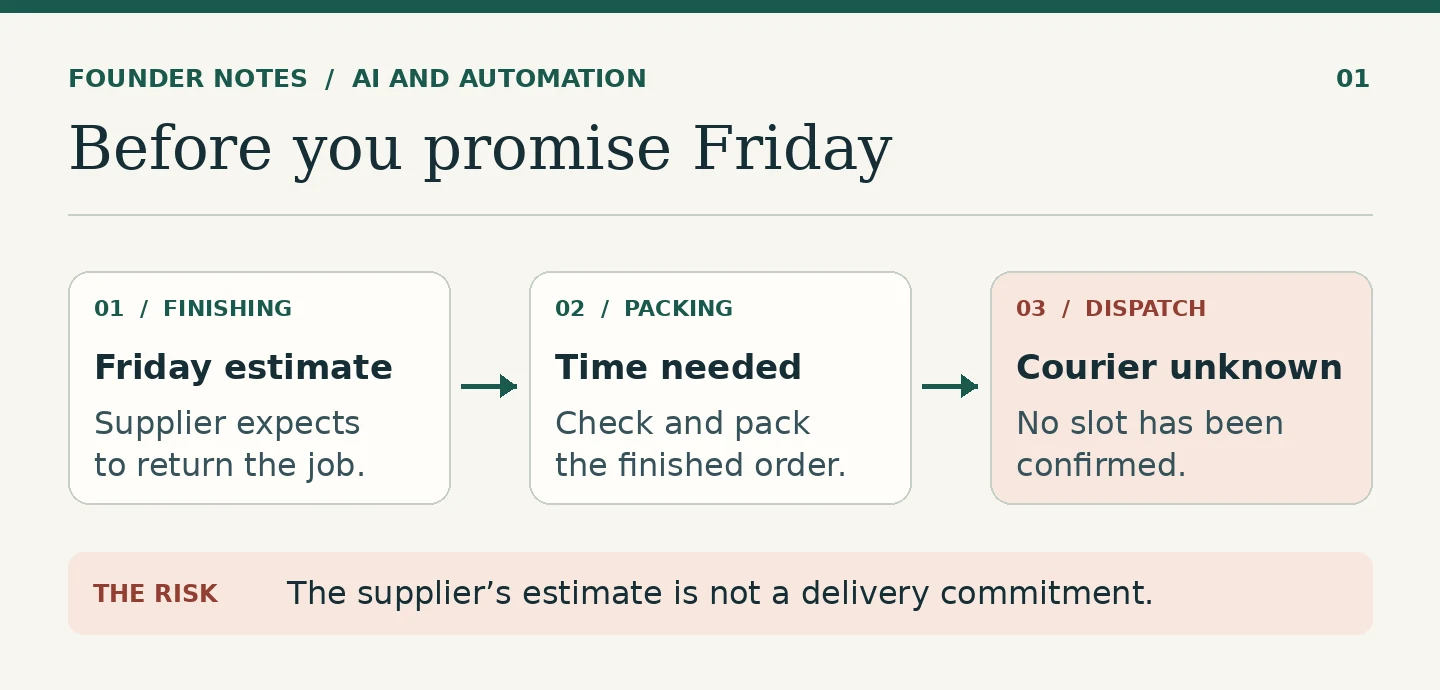
A print shop is running late on an order. The account manager asks AI to read the job notes and draft an update for the customer. The draft says, “We can deliver on Friday.”
Friday did appear in the notes. It was the day the finishing company expected to return the printed material. The print shop had not confirmed a courier slot or allowed for the time needed to check and pack the order.
One person now needs to decide whether the shop is prepared to make that promise. They cannot do it from a draft alone. They need to see where Friday came from and what has not been confirmed.
I would build that review into the workflow. If the proposed action changes what a customer can expect from the business, hold it until someone with the authority to make that commitment has checked it.
Decide which actions need a pause
Start by separating internal preparation from actions someone else will rely on. AI can gather job notes, compare them with the original order and draft an update. The draft can wait in a review queue without changing anything for the customer.
Sending a new delivery date is different. The customer may arrange staff, book a venue or give their own customers a date based on it. A clear message sent quickly does little good if the business cannot meet what it promises.
For the print shop, I would require approval before sending a revised delivery date or changing the date on the customer’s order. A routine note saying that the team is checking the schedule can follow a simpler rule, provided it does not imply a new commitment. Define that distinction before the first message goes out.
Show the reviewer what they are approving
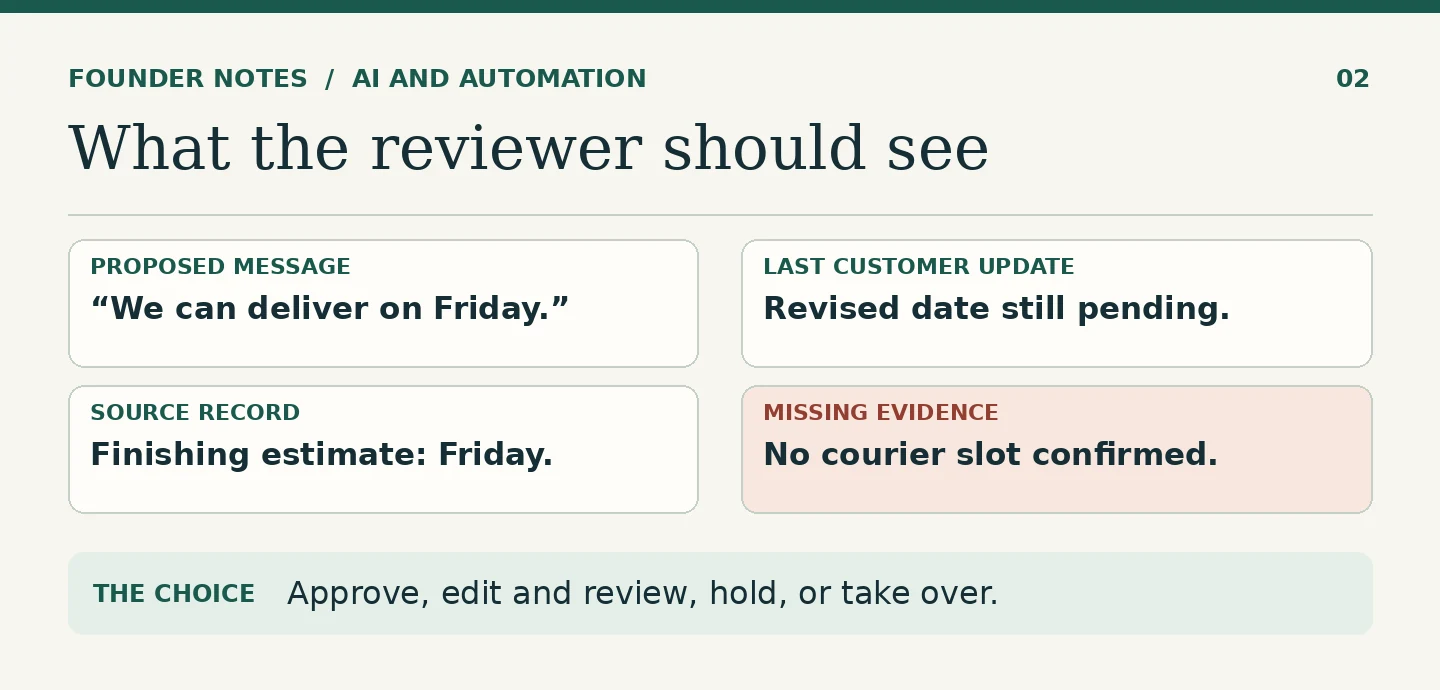
An approval screen should make the decision clear before the reviewer has to open another tab. For the print shop I would show:
- The proposed action. Send this exact message to this customer. Show the recipient and call out the revised commitment.
- What the customer was told before. Show the original delivery date and the latest update already sent.
- The evidence. Link to the job schedule, the finishing company’s last confirmation and the dispatch booking. Show when each was last checked.
- What is missing. If no courier booking has been confirmed, say so. Keep the gap visible beside the proposed date.
The reviewer should be able to tell the difference between a supplier’s estimate and a confirmed delivery plan. A link to a folder of records is not enough if the person has to work out which file the draft relied on.
I would give the reviewer four useful choices: approve this version, edit and review it again, hold it for more information, or take over the case. For this order, the reviewer might replace the Friday promise with a short update and a time at which the shop will check back. That is a decision about what the business can commit to today, not simply an edit for tone.
Make sure the approval follows the exact version
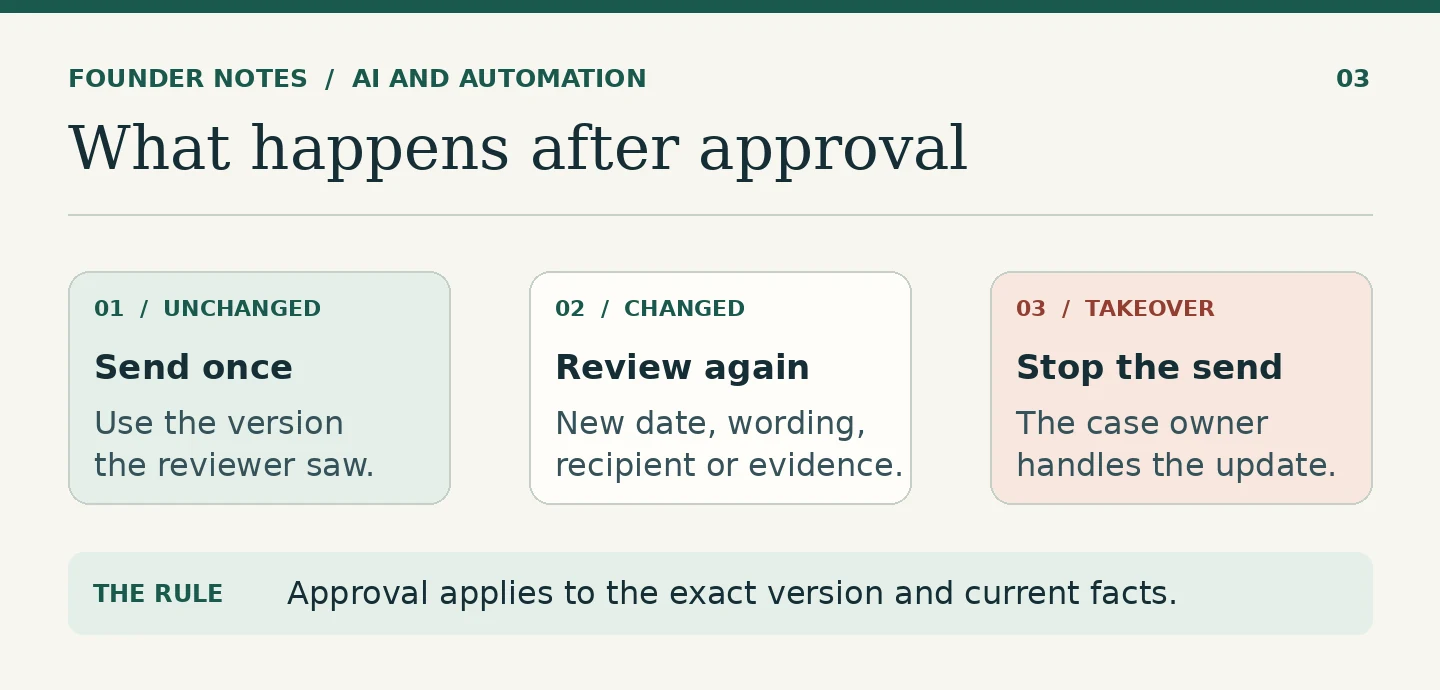
What happens if somebody approves the Friday message and the AI then rewrites it before sending? The new wording might turn “we expect” into “we guarantee,” add a recipient or move the date. The manager no longer knows what their approval covered.
Attach approval to the exact text, recipient and action. If any of those change, the approval no longer applies. The next send should wait for a fresh review. The same applies if the underlying information changes before sending. A confirmed courier slot that is later cancelled is a reason to stop, even if the message itself has not yet changed.
After sending, keep a record of the approved version, who approved it and what actually went out. Keep the send result too. That way someone can tell whether a message was approved but never sent, rather than relying on a green tick that could mean either.
Let someone take over without fighting the automation
Some jobs need a phone call, a different delivery arrangement or a decision beyond the person reviewing the queue. Give staff a way to take ownership of the case and stop any queued automated sends for it. Show who owns it and what they need to do next.
Suppose the account manager calls the customer and agrees on a split delivery. That decision needs to go back into the order record before the workflow can resume. Otherwise the next AI draft may pick up the old plan and send an update that contradicts the call.
While a case is waiting for approval, give it an owner and a review deadline. If the reviewer is away, send the case to an authorised backup or leave it on hold for the team to handle. Silence should not count as approval.
Test the gate before relying on it
Try three cases before using the workflow on a live order. Approve an unchanged draft and check that it sends once. Change the date or recipient after approval and check that the review is required again. Then have someone take over a queued case and verify that no automated message goes out.
If the workflow cannot pass those tests, keep it in draft mode. The point of the approval step is to control what happens, not just to show that someone clicked a button. For the broader distinction between assistance and responsibility, see AI Should Support Human Judgment, Not Replace It.
FAQ
No. A business can set rules for low-risk messages, such as acknowledging a received request. Require individual approval when the message makes a new commitment, changes an existing one or takes an action the business would want someone to check.
Send it back if the text, recipient or action changes, or if new information undermines what was approved. Approval should apply only to the version and circumstances the reviewer checked.
Keep the action on hold and route it to an authorised backup or the person responsible for the case. Do not assume that a missed review deadline grants permission to send.
Have a systems problem worth discussing?
If this note connects with something you are dealing with in your business, club, team, or workflow, send me a short message with context.
I’m interested in practical problems around records, communication, email, hosting, AI-assisted work, CRM planning, client follow-up, and operational systems.
Zahid’s Field Notes
Practical notes from the builder’s desk.
Occasional notes on digital systems, canine administration, business workflows, AI, email, hosting, and the small operational details that shape trust.
What I usually write about:
- How better records improve daily operations
- Why email, hosting, and infrastructure still matter
- What canine clubs can learn from business systems
- Practical AI use without losing human control
- Lessons from building and operating real systems
No fixed schedule. No recycled content. Just useful notes when there is something worth sharing.