
The Best First AI Automation Is Usually the Boring One
If I were choosing a company’s first AI automation, I would start by asking what someone has to put together by hand every week. Not what would make the best demo. What does a capable person keep spending time on, even though most of the facts are already in the system?
A good first project takes some of that work off their desk without giving the software a new power over the business. An internal report that comes out half an hour sooner is useful. A system that can approve the wrong thing half an hour sooner gives you a different problem.
How to choose the first job
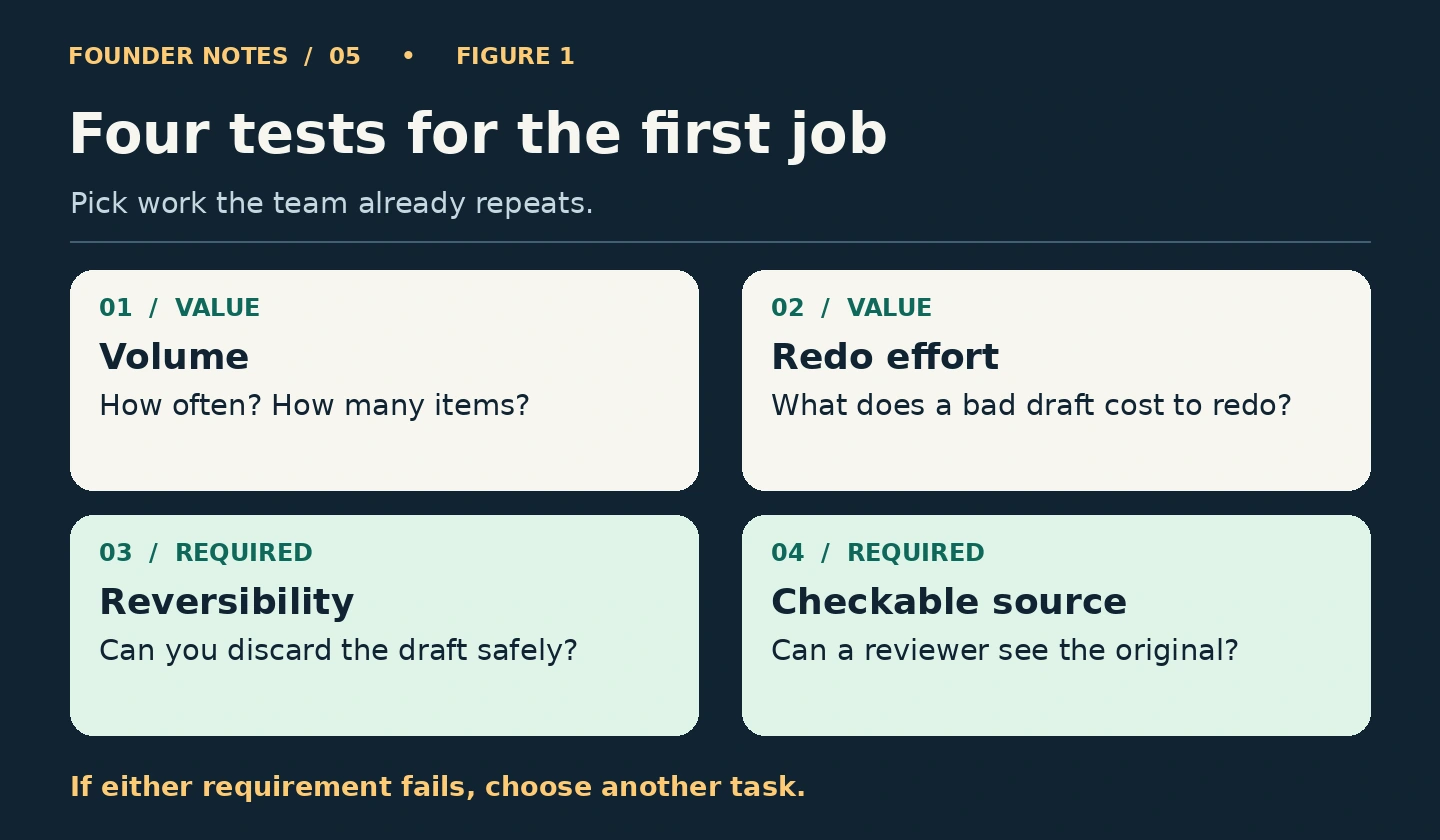
Make a short list of tasks the team already does. For each one, ask four questions:
- Volume: How often does it happen, and how many items does it involve? A weekly batch of forty notes is usually a better starting point than a report produced twice a year.
- Redo effort: How much work is involved in producing it, and how much would it take to fix or redo a bad draft? If the reviewer has to reconstruct it from scratch, the saving is gone.
- Reversibility: Can someone discard the output and use the old process without undoing anything else? A draft passes this test. A refund or a customer notification does not.
- Checkable source: Can the reviewer get from each important claim back to the original record? If the answer requires searching three inboxes, document the workflow before automating it.
I would treat the last two as requirements, not points to make up elsewhere. High volume makes a good workflow more valuable. It also makes a bad workflow harder to contain.
Start with a draft that stays inside the business
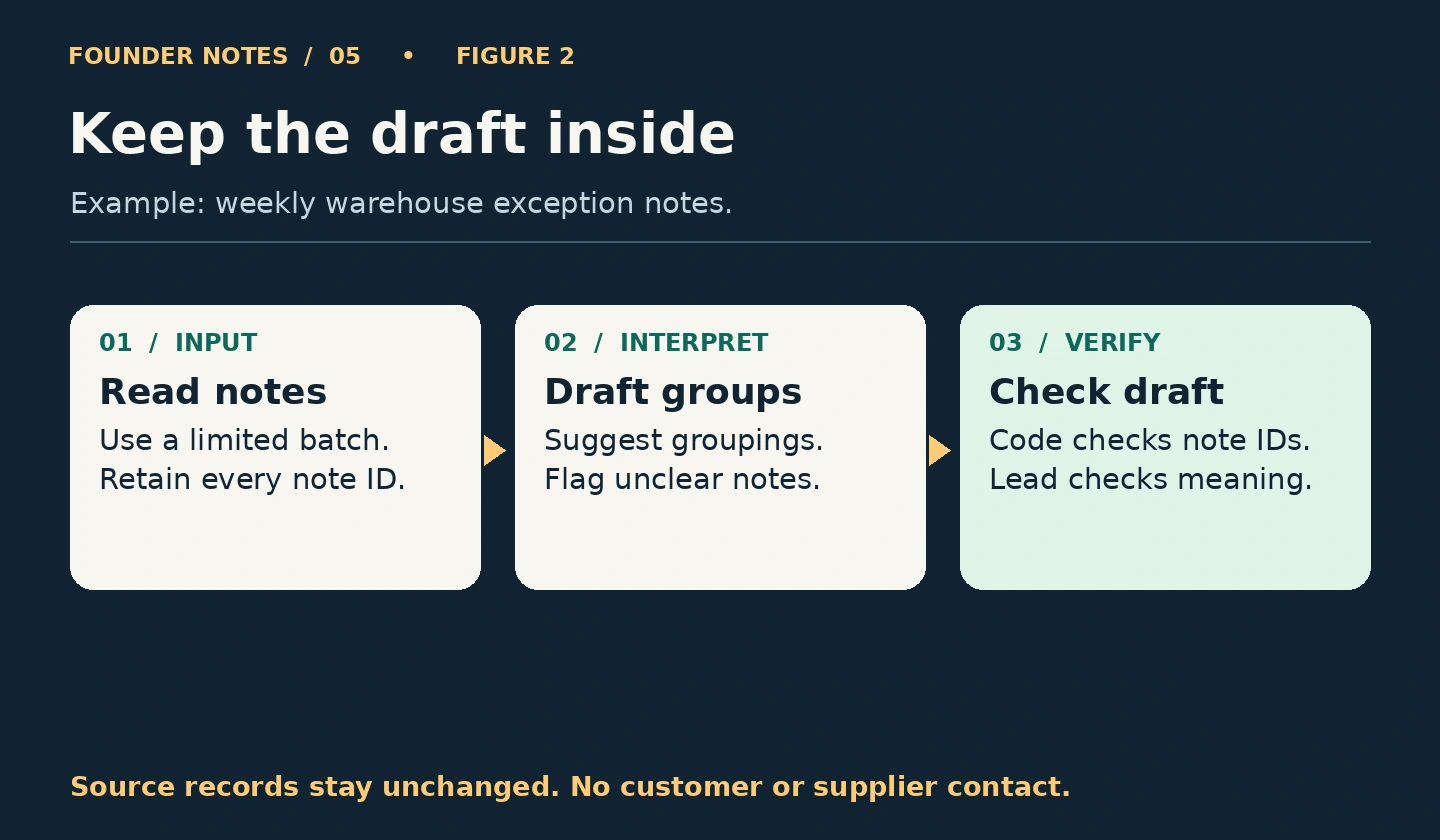
Take a warehouse team that logs exceptions during the week. One person writes “outer box crushed, contents intact.” Another writes “packaging damage, item fine.” On Friday, the operations lead reads the notes and groups similar issues for Monday’s review.
That is a sensible pilot. Give the AI a limited set of internal notes and ask it to suggest groups for a weekly draft. Keep the note ID beside each item. Give doubtful cases an “Unclear” section instead of forcing them into a category. Use ordinary code to count the IDs and flag any missing or repeated ones. The reviewer can then spend their time checking whether the groupings make sense.
The draft does not change inventory, assign blame, contact a supplier, or authorize a return. If it puts a damaged item under packaging damage, the lead corrects the draft and checks for similar errors. If it produces a mess, the team discards it and writes the report the way it did last week. The source records have not moved.
Use ordinary rules wherever they do the job
If staff already select a reliable exception code, use a database query or a spreadsheet to group the entries. If the problem is inconsistent entry, try improving the form first. A short required list of categories may solve more than a well-written prompt.
AI earns a place when the input genuinely varies, as it does with free-text notes, and the designer cannot express the useful distinctions in a few stable rules. Even then, dates, counts, duplicate IDs and access permissions belong in ordinary software. Leave the model the part that needs interpretation.
Write down what a pass looks like
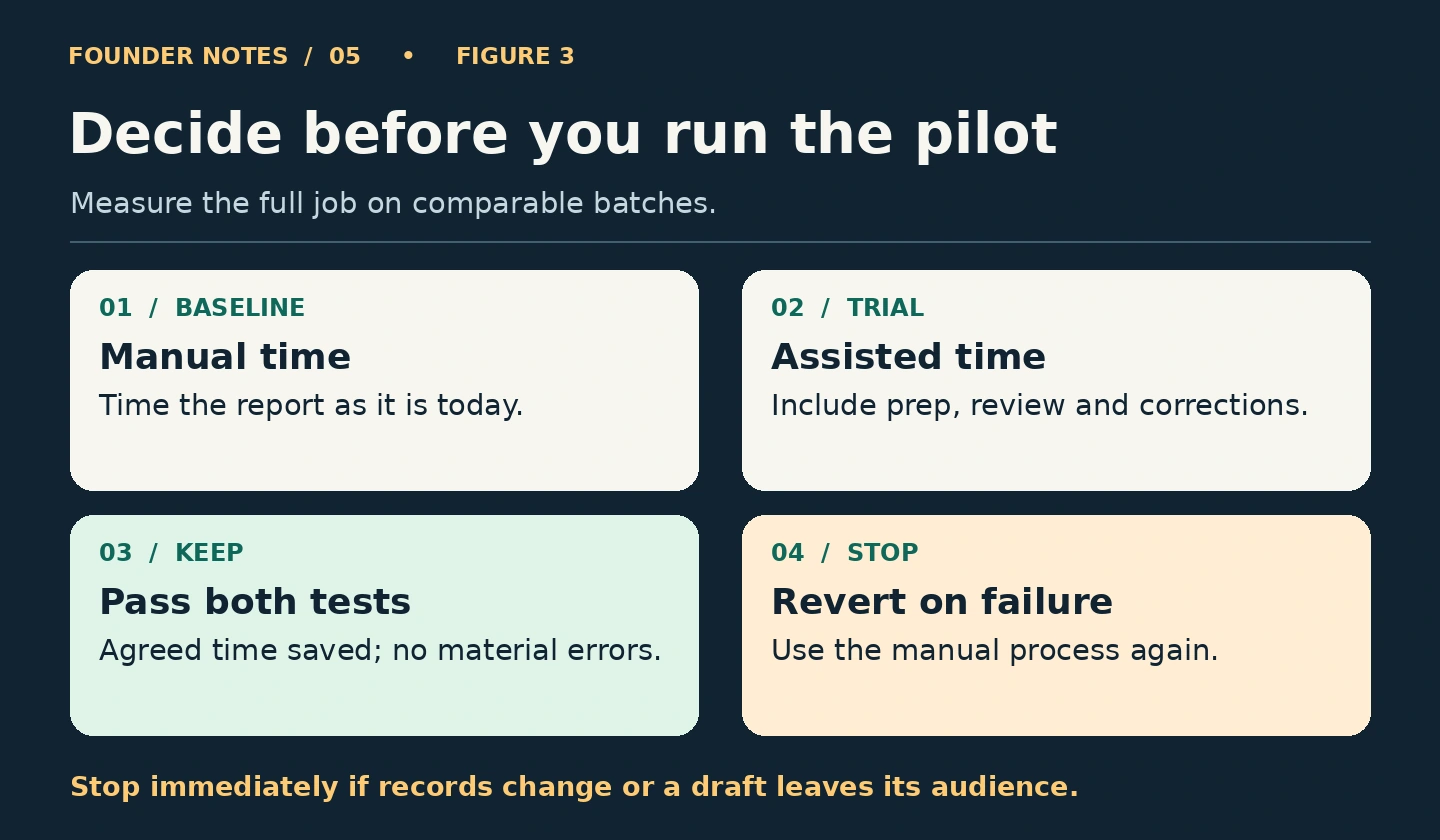
Before switching on anything, look at two or three recent batches. Record how many items each contained, how long the manual report took, and what the operations lead considers a material error. For this pilot, omitting a damaged item matters more than choosing an awkward category name.
Then run the new process beside the existing one, with no automatic publication. Measure the whole job: preparation, draft generation, checking, corrections and any fallback. If the manual job takes forty minutes and the new workflow takes twenty minutes to generate plus twenty-five to check, the pilot has made the job slower.
Choose the pass and stop conditions before looking at results. As an example, require a net saving of at least ten minutes on each of three comparable weekly batches, with no material omission or unsupported claim in a draft. Stop immediately if original records change or a draft goes outside its intended audience. If the quality or timing threshold is missed, go back to the manual process and decide whether the problem is worth another trial.
I would rather have a team keep one useful draft workflow for a year than roll out five automations nobody trusts after a month. The first project gives you a way to learn what is worth automating next. Pick a job where a mistake is easy to see and cheap to put right.
FAQ
Yes. If setup, review and maintenance cost more than doing the work, leave it alone. Time an ordinary batch before deciding.
Find out what it gets wrong. A clumsy label takes seconds to fix. A missing exception can leave a real issue off the agenda. Measure those errors separately.
After the narrow version passes on ordinary and difficult batches, and the reviewer can explain the remaining errors. Add one responsibility at a time and measure it separately.
Have a systems problem worth discussing?
If this note connects with something you are dealing with in your business, club, team, or workflow, send me a short message with context.
I’m interested in practical problems around records, communication, email, hosting, AI-assisted work, CRM planning, client follow-up, and operational systems.
Zahid’s Field Notes
Practical notes from the builder’s desk.
Occasional notes on digital systems, canine administration, business workflows, AI, email, hosting, and the small operational details that shape trust.
What I usually write about:
- How better records improve daily operations
- Why email, hosting, and infrastructure still matter
- What canine clubs can learn from business systems
- Practical AI use without losing human control
- Lessons from building and operating real systems
No fixed schedule. No recycled content. Just useful notes when there is something worth sharing.