
Where AI Actually Helps in a Small Business
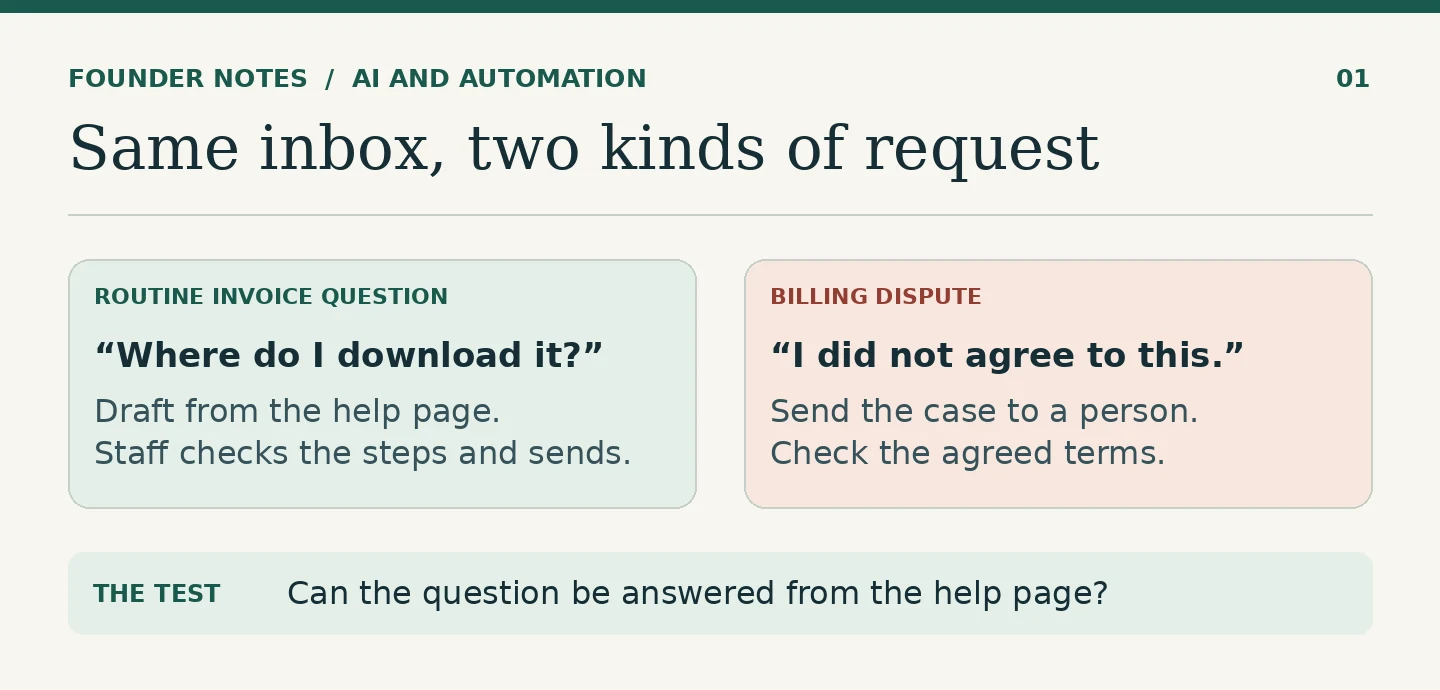
A customer writes to ask where they can download a copy of an invoice. The answer is already on your help page. Someone on the team still has to find it, pull out the right steps and write a reply that makes sense to that customer.
That is a useful job for AI. The information exists, the work repeats, and the person checking the reply can tell quickly if it is right.
Now suppose the customer says the invoice includes a charge they never agreed to. The word “invoice” is still there, but the work is different. Someone has to check what was agreed, what was billed and what the business should do about it. That message should go straight to a person.
This is how I would look for useful AI work in a small business: find a task your team already understands and see whether AI can take some of the preparation off their hands.
Start with one question your team answers every week
Take the invoice example. Suppose a business already has a help page that explains how to download an invoice. Give AI that page and ask it to draft a short reply to the customer’s question, using only the steps on the page. Have it show the source beside the draft so the support person can check both together.
The staff member reads the original question and checks that the steps apply. If they do, they send the reply. If the customer cannot sign in, the invoice is missing, or the conversation turns into a billing dispute, the standard reply will not solve it. Someone needs to pick up the case.
Keep the first version this small. You do not need to give a drafting tool access to the billing system just to explain where an invoice can be downloaded.
Where else the same approach works
Sorting incoming requests. A small service company might receive sales enquiries, support requests and payment queries in one mailbox. AI can suggest a category and show the words that led to it. The person watching the inbox can correct it or handle an unclear message. That is more useful than silently moving messages into folders no one checks.
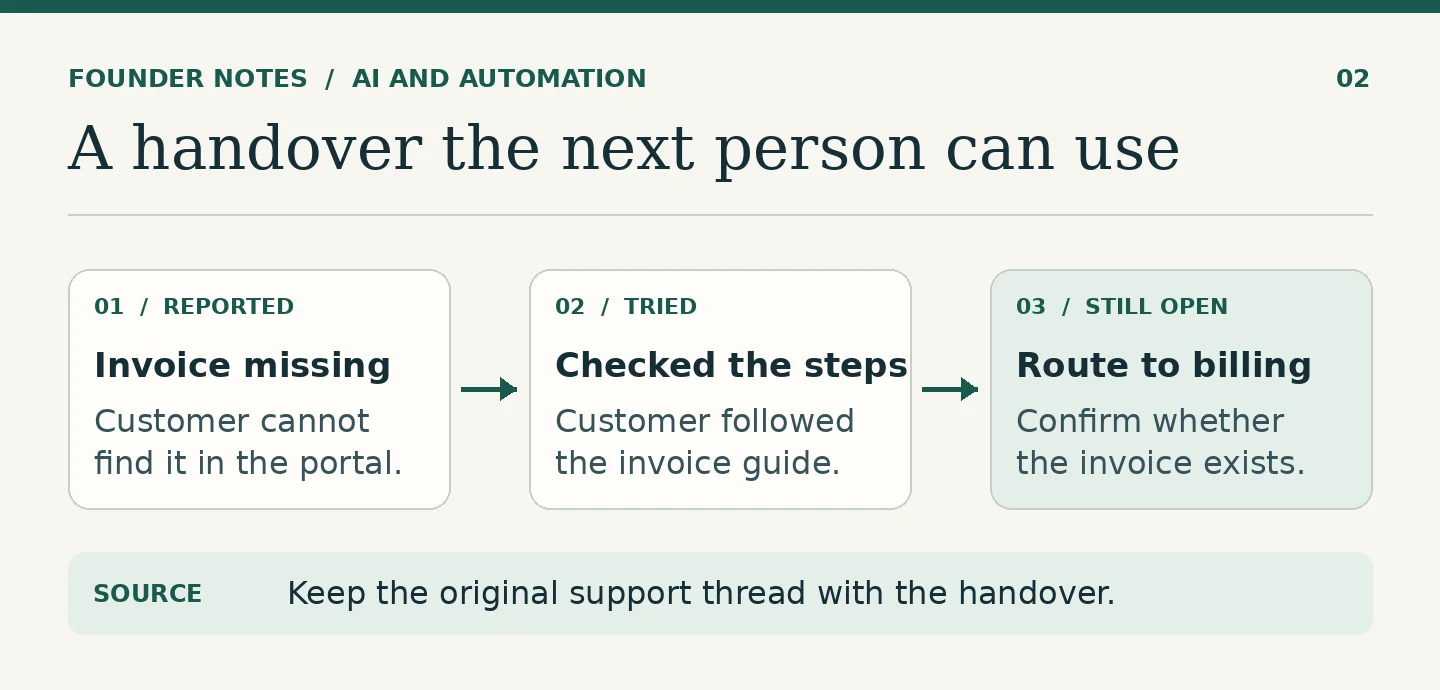
Summarising a handover. When a ticket changes hands, ask for three things: what the customer reported, what the first person already tried, and what is still open. Keep the original thread attached. The next person should be able to pick up the work without asking the customer to explain it all again.
Preparing follow-ups. A quote is waiting for a reply. The record shows when it went out and when the team agreed to follow up. AI can prepare a short message from that information. If no follow-up date was agreed, leave it blank rather than letting the tool invent one.
Helping staff find an internal procedure. A new team member needs to know what information to collect before handing a case to accounts. AI can pull a short checklist from the current procedure and link to it. If there are two versions and they disagree, someone needs to fix the procedure before asking the tool to answer from it.
In each case, look at what the next person receives. A suggested label, a short handover or a draft reply is something they can use. A long explanation that still leaves them searching for the answer is more work.
Count the checking time as part of the work
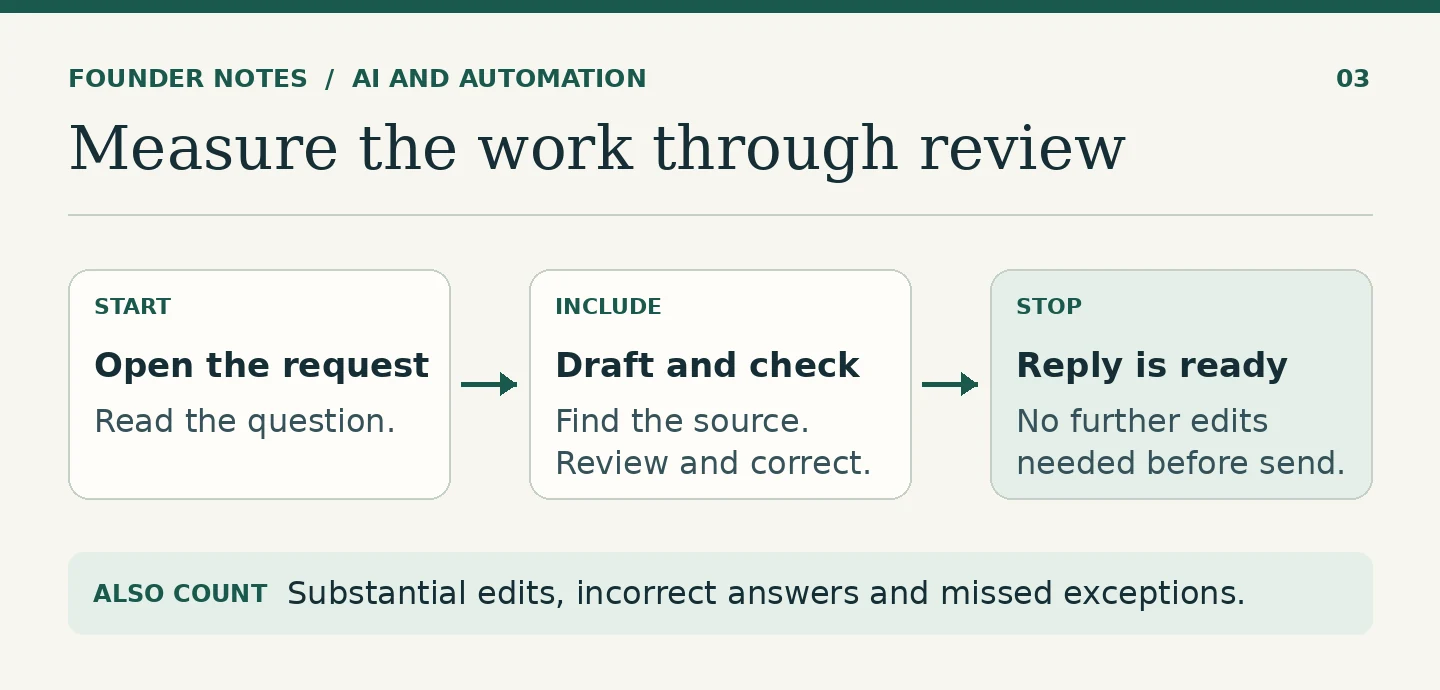
Try one type of request before changing the whole inbox. First, time a small batch handled the usual way. Then try a comparable batch with AI drafting the replies. Use the same start and finish for both: from opening the message to having a reply ready to send.
I would record three things:
- Time to a ready reply. Include finding the source, checking the draft and making corrections. How quickly the first draft appears tells you very little.
- Drafts that needed a substantial edit. A change in greeting is not the same as rewriting the instructions or deciding the draft answered the wrong question.
- Incorrect answers and missed exceptions. Keep a record even when staff catch the mistake before sending. A tool that repeatedly drafts routine replies to disputed charges needs a narrower job.
If the help page is old or hard to follow, fix it first. You may find that a saved reply handles the question just as well, with less checking. Use the simpler option when it works.
What I would start with
Pick a question you can answer from one current page. Let AI prepare the reply. Let the person who handles that inbox decide whether to use it. Compare the result with how the team handles the same work today.
If it saves time after checking, you have a reason to keep it. If it does not, you have learned something without changing the way the whole business works.
For the decisions that need more than a well-prepared reply, see AI Should Support Human Judgment, Not Replace It.
FAQ
Choose a recurring task with a reliable source and an output you can check quickly. Drafting a reply from a current help page or preparing a handover from a short ticket are good candidates.
No. You can try the workflow with a few sample messages that contain no private customer details and a copy of the help page. See what the drafts get right, what they miss and how much effort it takes to check them before connecting anything.
Keep using it. AI is worth testing when customers ask the same question in different ways or the team spends time adapting the answer. If the same reply works every time, a template is easier to maintain.
Have a systems problem worth discussing?
If this note connects with something you are dealing with in your business, club, team, or workflow, send me a short message with context.
I’m interested in practical problems around records, communication, email, hosting, AI-assisted work, CRM planning, client follow-up, and operational systems.
Zahid’s Field Notes
Practical notes from the builder’s desk.
Occasional notes on digital systems, canine administration, business workflows, AI, email, hosting, and the small operational details that shape trust.
What I usually write about:
- How better records improve daily operations
- Why email, hosting, and infrastructure still matter
- What canine clubs can learn from business systems
- Practical AI use without losing human control
- Lessons from building and operating real systems
No fixed schedule. No recycled content. Just useful notes when there is something worth sharing.